
About Jessica Ente

Jessica Ente has a deep-rooted passion for journalism nurtured during her academic years and currently runs her own real estate rental business. With a diverse and impressive skill set, she has over seven years of experience in customer service, article writing, and database management. Always ready to lend a helping hand, she takes pride in assisting business owners by relieving them of daily operational tasks, ensuring that their mundane responsibilities are expertly handled.

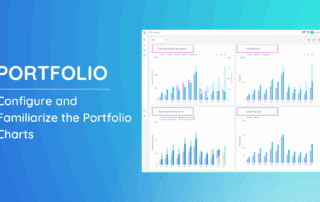
Configure and Familiarize the Portfolio Charts

The Portfolio Analytics page is where you can gain valuable insights into the performance of your overall properties at the portfolio level. Dive into seven essential metrics, each providing a unique perspective on your yearly data. Customizing your portfolio charts is a powerful way to monitor

By Jessica Ente|2026-06-13T01:09:01+00:00May 22nd, 2025|Help Center Article|Comments Off on Configure and Familiarize the Portfolio Charts

Navigating Portfolio Analytics

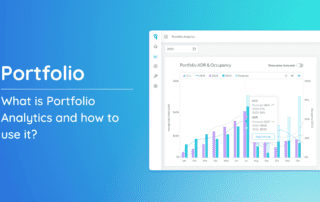
What is Portfolio Analytics and how to use it? Portfolio Analytics is a tool designed to provide you with in-depth insights into the overall performance of your properties. Let’s familiarize the buttons and settings available on the page to filter how you would like to

By Jessica Ente|2026-06-13T01:08:59+00:00May 20th, 2025|Help Center Article|Comments Off on Navigating Portfolio Analytics

Price Graph View

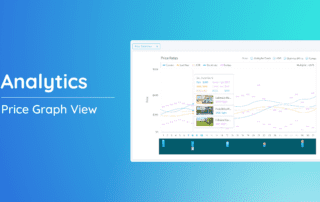
The Price Graph View is a powerful tool that helps you visualize your property's monthly pricing trends and make data-driven decisions. By understanding your market's dynamics and your property's performance, you can optimize your pricing strategy to maximize revenue. Accessing Price

By Jessica Ente|2026-06-13T01:08:01+00:00December 12th, 2024|Help Center Article|Comments Off on Price Graph View

How to Configure Portfolio Charts

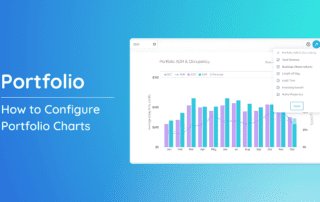
Customizing your portfolio charts is a powerful way to monitor the performance of your short-term rental properties. By selecting the metrics most relevant to your goals—like occupancy rate, ADR, or revenue—you can create a tailored view that highlights key insights. This guide will walk you through the

By Jessica Ente|2026-06-13T01:08:59+00:00December 12th, 2024|Help Center Article|Comments Off on How to Configure Portfolio Charts

How to download Property Key Metrics?

Want to analyze your property's performance in-depth? Downloading key metrics in Excel is a great way to gain valuable insights. This guide will walk you through the simple steps to download your property's key metrics. 1. Navigate to the left-side menu bar.

By Jessica Ente|2026-06-13T01:06:36+00:00December 12th, 2024|Help Center Article|Comments Off on How to download Property Key Metrics?

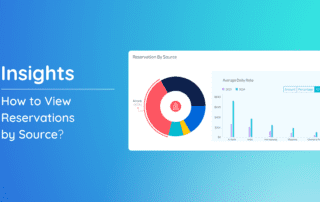
How to View Reservations by Source and Latest Bookings

Understanding where your reservations originate is essential for optimizing your booking strategy. The "Reservations by Source" feature provides a clear breakdown of your bookings across various channels, such as direct bookings, online travel agencies (OTAs), and other sources. By leveraging these insights, you can evaluate your marketing

By Jessica Ente|2026-06-13T01:09:51+00:00December 12th, 2024|Help Center Article|Comments Off on How to View Reservations by Source and Latest Bookings

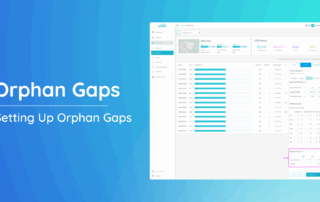
Orphan Gaps

Orphan Gaps are brief, unbooked periods between existing reservations. They occur when the minimum stay requirements prevent guests from booking these gaps. Configuring Orphan Gaps ensures these nights remain bookable, optimizing occupancy and revenue. This article will guide you through accessing and setting up Orphan Gaps effectively.

By Jessica Ente|2026-06-13T01:08:20+00:00December 2nd, 2024|Help Center Article|Comments Off on Orphan Gaps

How to Add to Price Adjustment Queue?

Managing your properties efficiently is crucial for staying competitive in the market. One of the key tools at your disposal is the Price Adjustment Queue, which allows you to streamline pricing updates across multiple properties. This guide will walk you through the steps of adding properties to the

By Jessica Ente|2026-06-13T01:07:17+00:00September 3rd, 2024|Help Center Article|Comments Off on How to Add to Price Adjustment Queue?
Go to Top