What is Rates Advisor and how do I use it?
Rates Advisor is a valuable tool designed to help you optimize property revenue by offering actionable pricing recommendations tailored to your properties.
Accessing Rates Advisor:
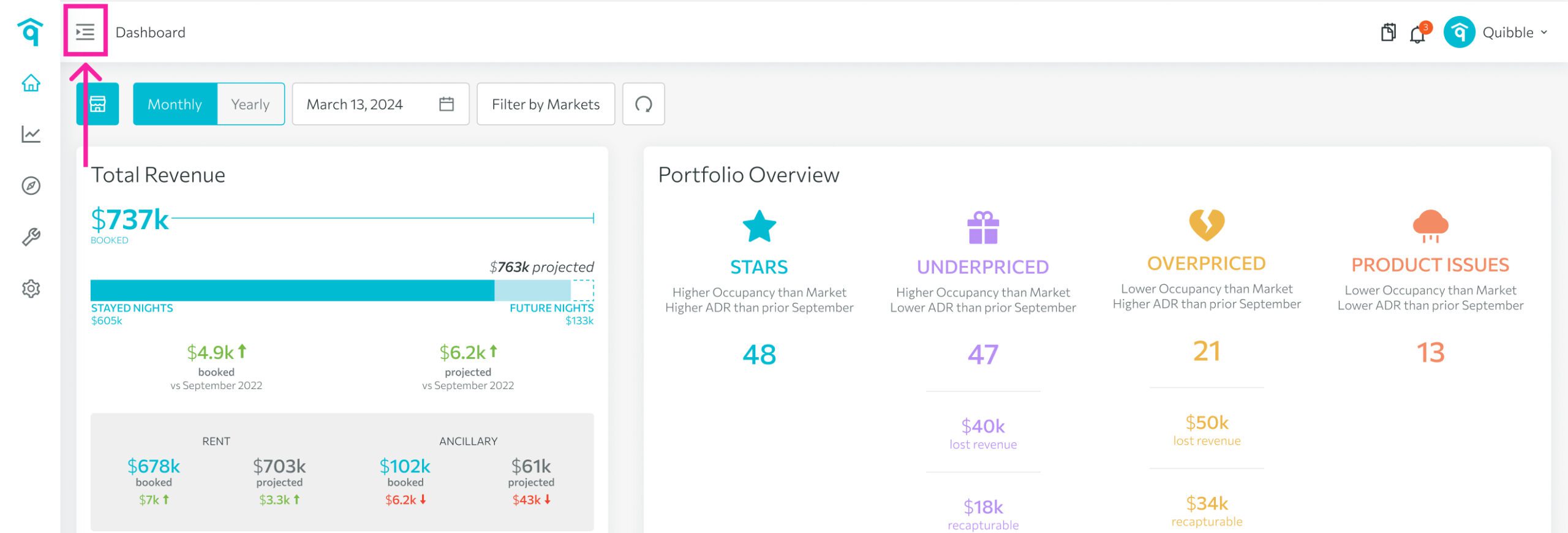
1. Head to the left-side menu bar.
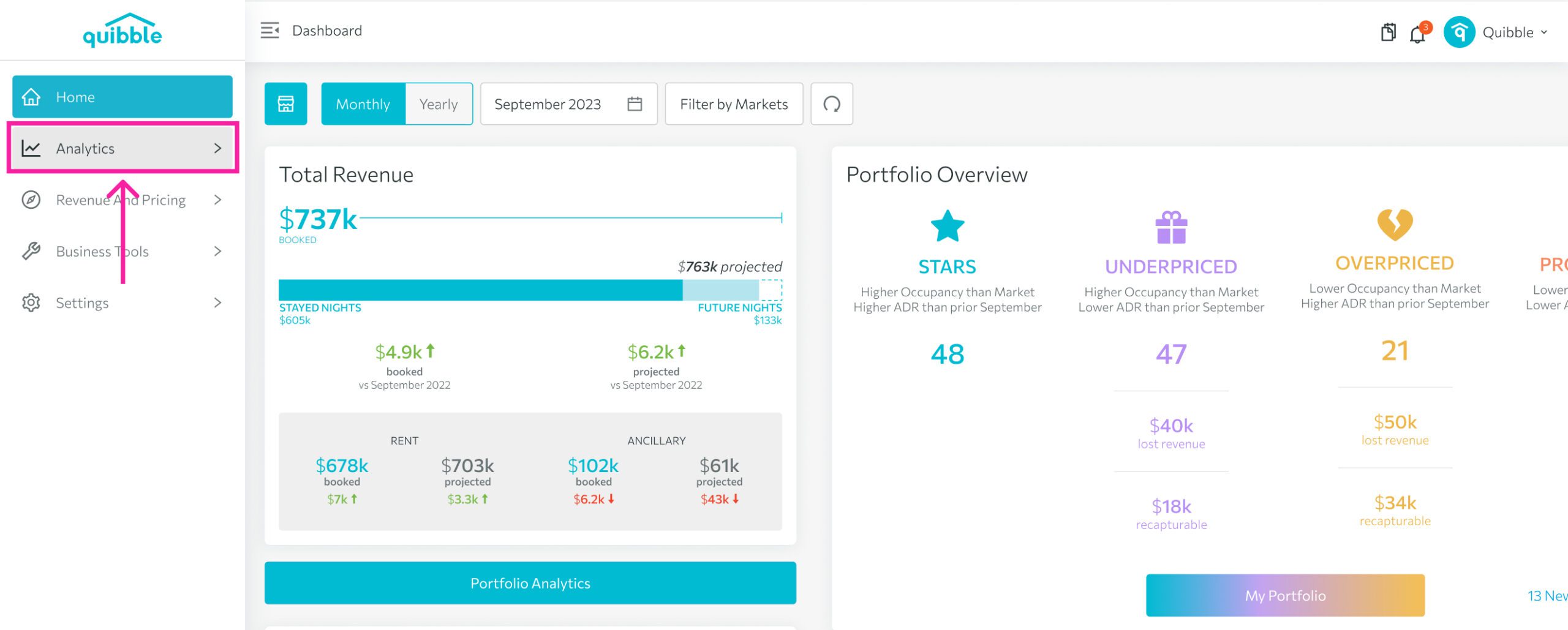
2. Click on the “Analytics” dropdown.
3. Choose “Rates Advisor.”
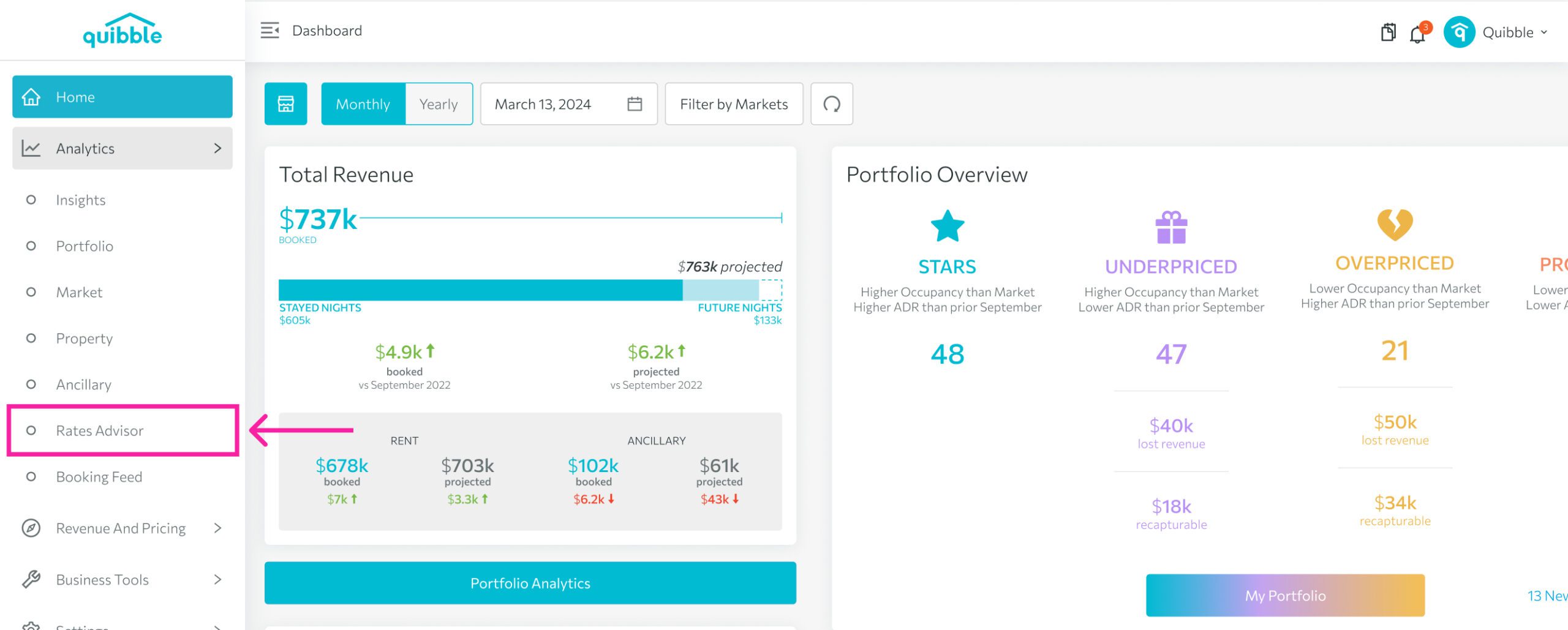
The Rates Advisor feature is structured around four quadrants, each addressing specific scenarios: Below Market Occupancy and Below Average Daily Rate; Below Market Occupancy and Above Average Daily Rate; Above Market Occupancy and Below Average Daily Rate; Above Market Occupancy and Above Average Daily Rate. Each quadrant categorizes properties based on these characteristics.
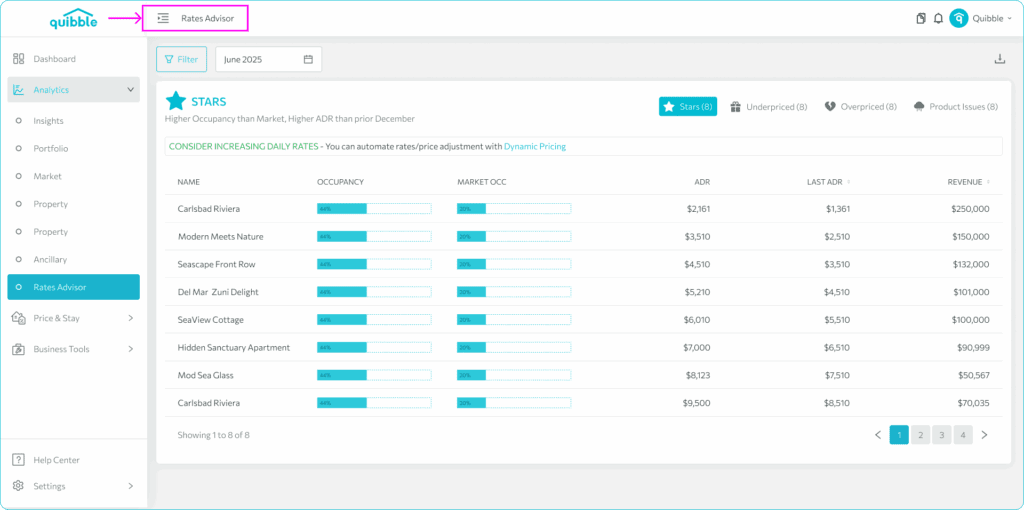
Consider the following actions for each quadrant:
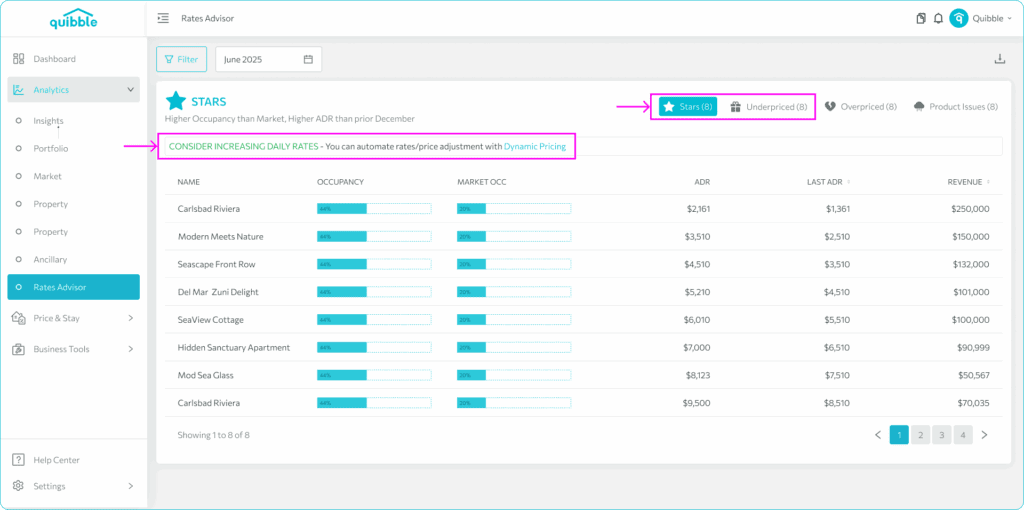
Stars – Higher Occupancy Than Market, Higher ADR Than Prior Year – Consider increasing daily rates.
Underpriced – Higher Occupancy Than Market, Lower ADR Than Prior Year – Consider increasing daily rates.
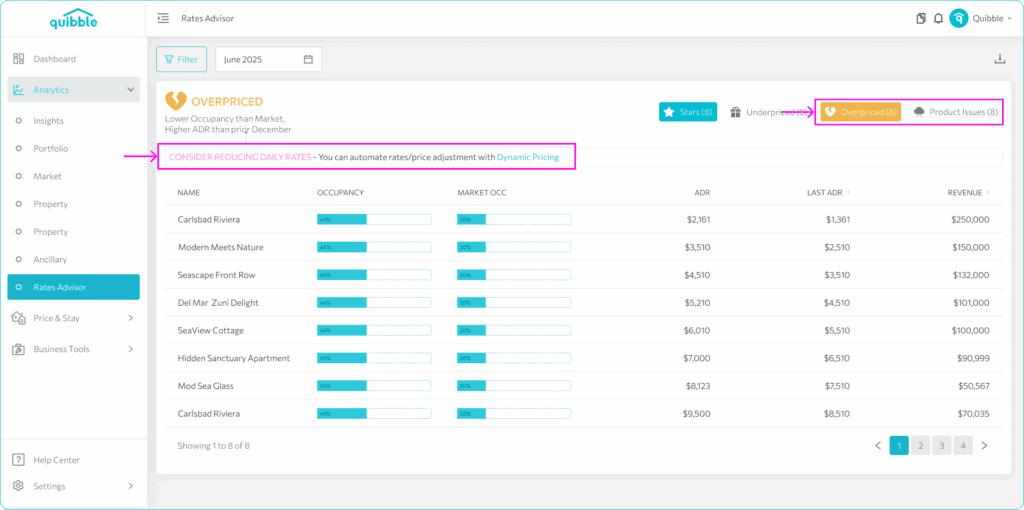
Overpriced – Lower Occupancy Than Market, Higher ADR Than Prior Year – Consider reducing daily rates.
Product Issues – Lower Occupancy Than Market, Lower ADR Than Prior Year – Consider reducing daily rates – problem queue / seek marketing help.
These actionable insights empower you to make informed decisions about pricing adjustments, enhancing your property’s competitiveness in the market.


 Quibble © 2025. All rights reserved.