Adjusting price by market
Market-level adjustments tailor pricing across an entire region in one move.
1
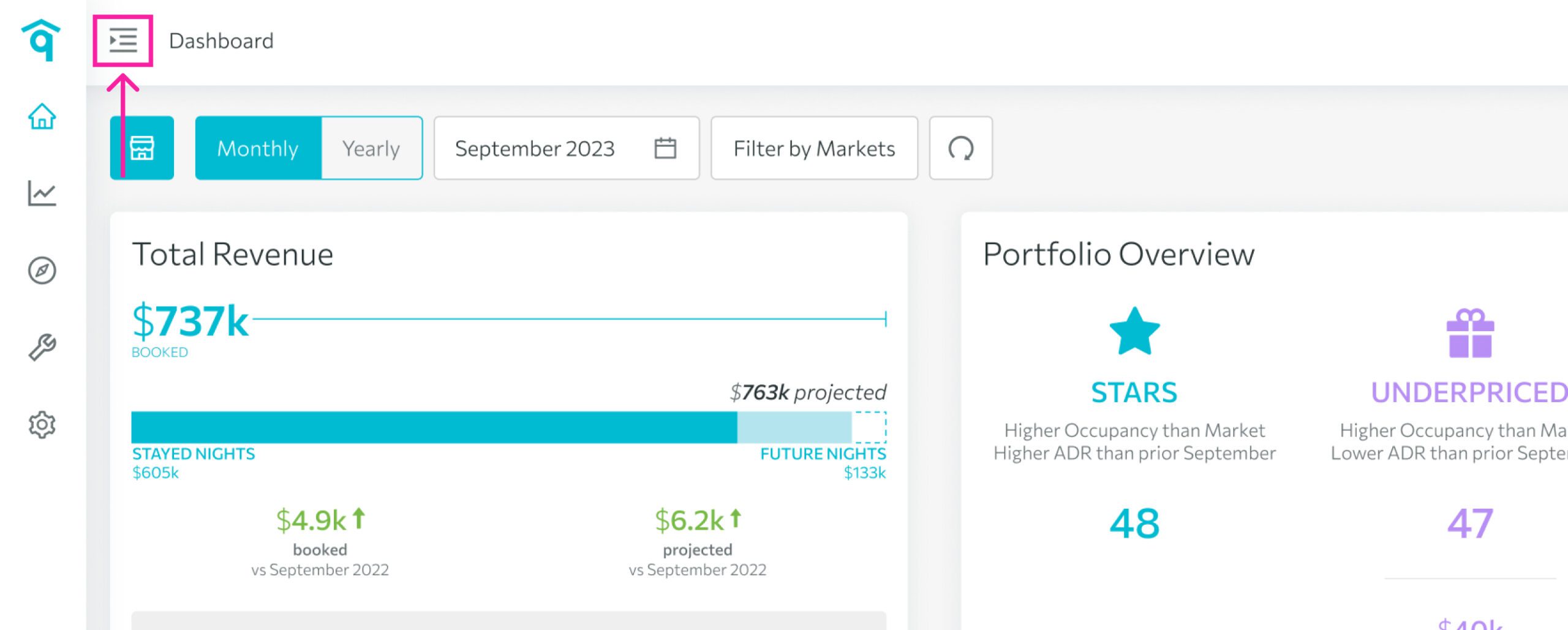
Open the left-side menu bar.
2
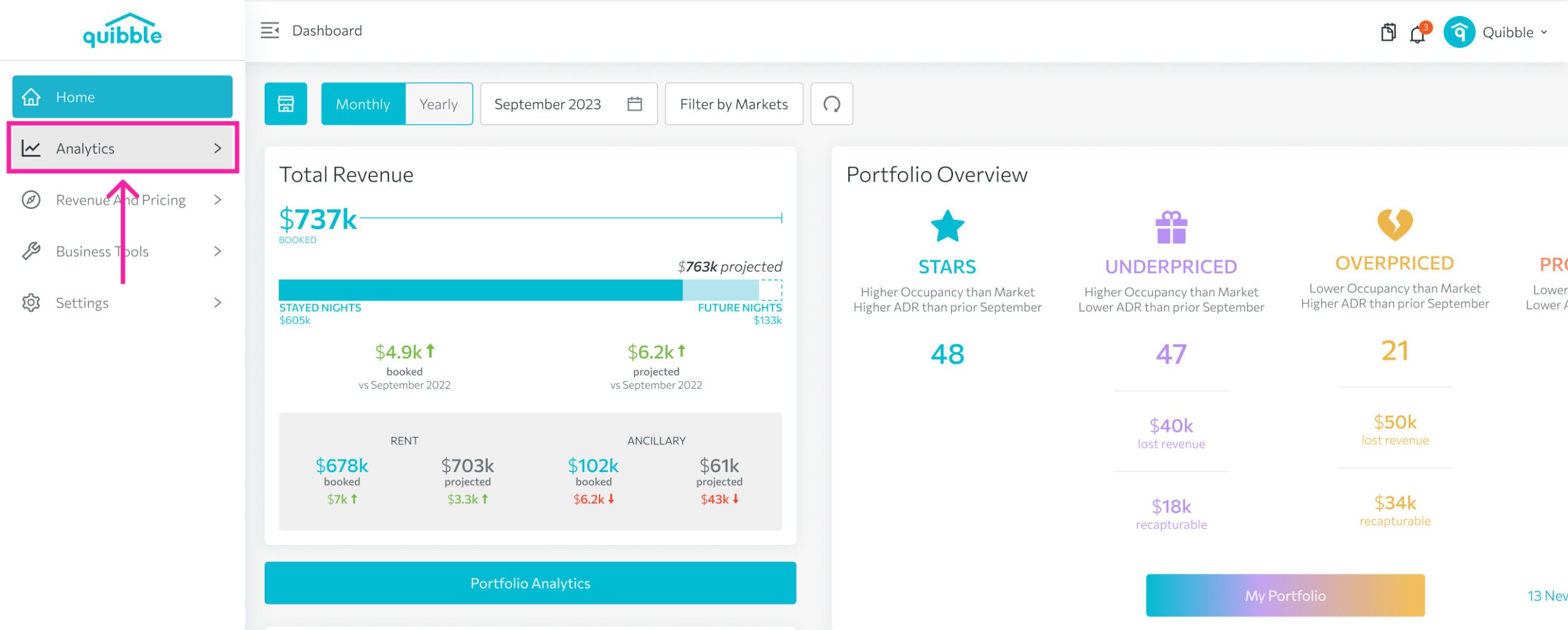
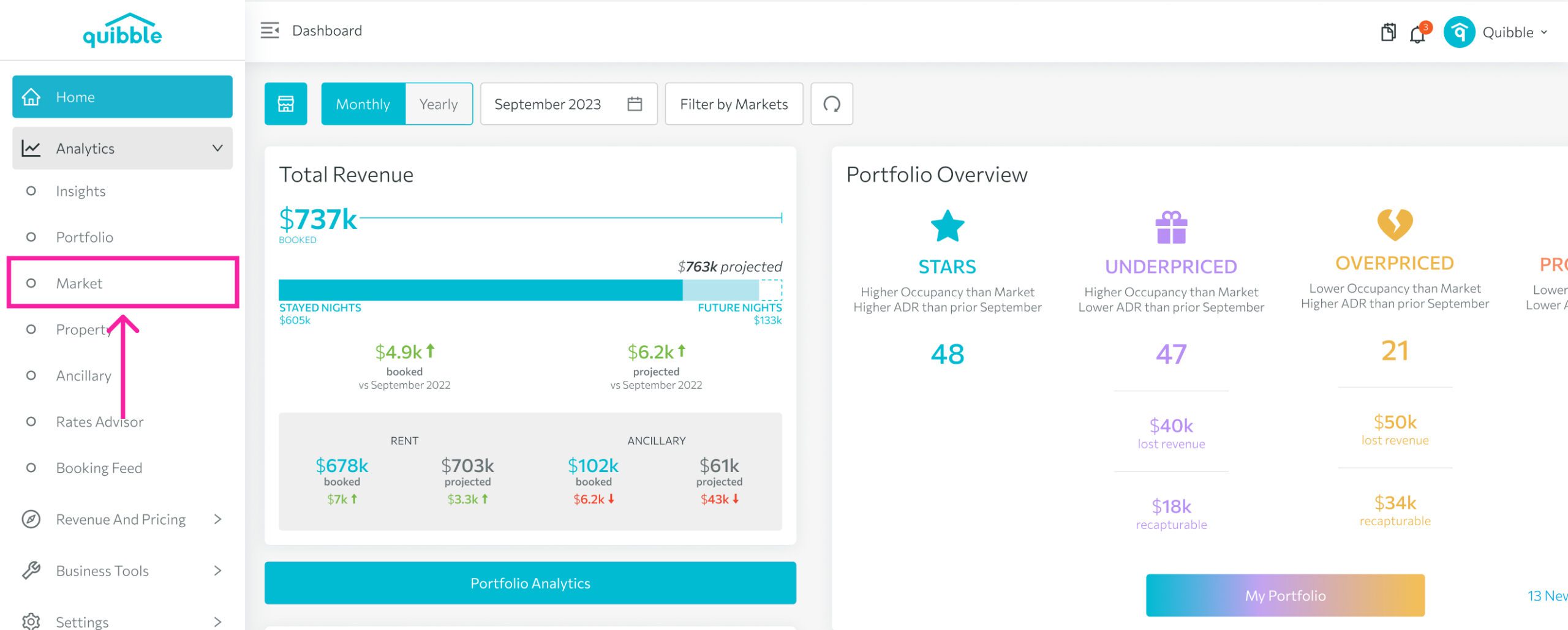
Click the Analytics dropdown, then open Rates Advisor.
3
Choose Market.
4
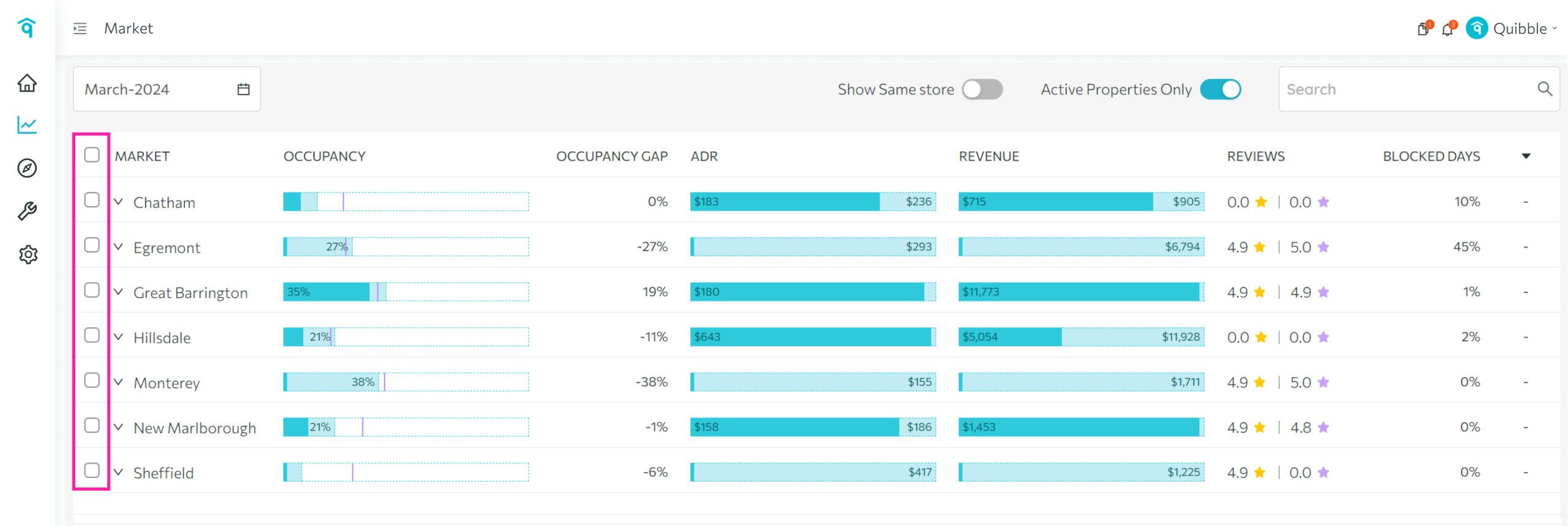
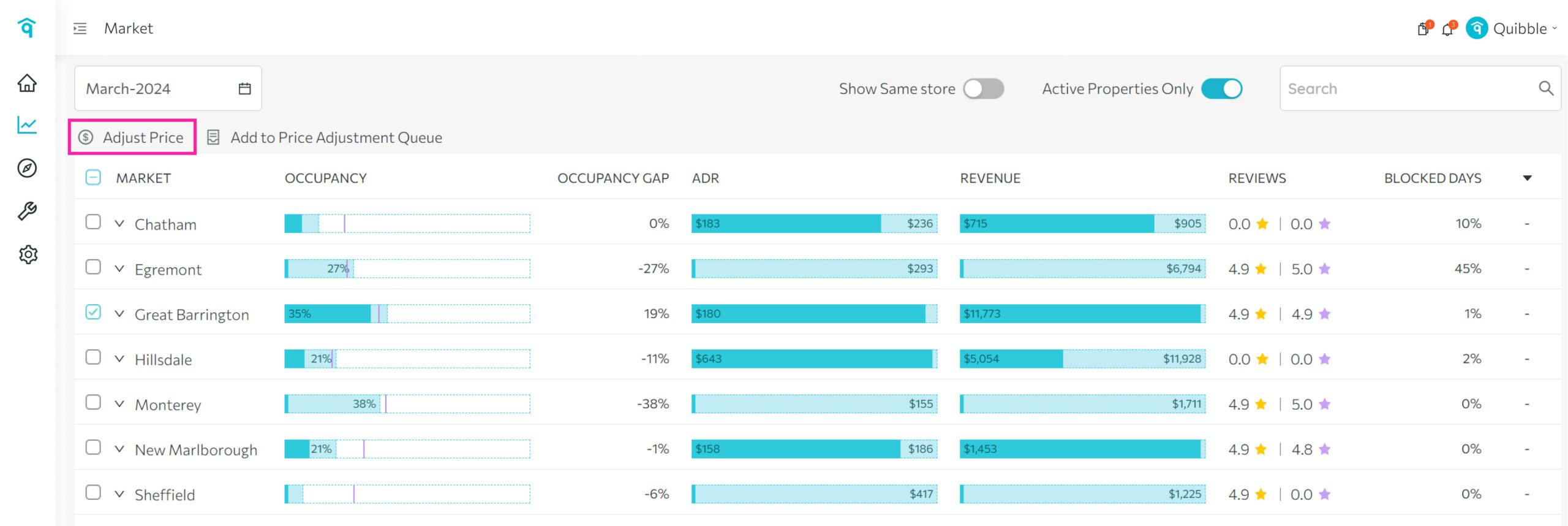
Tick the checkbox next to your desired market.
5
Click Adjust Price.
6
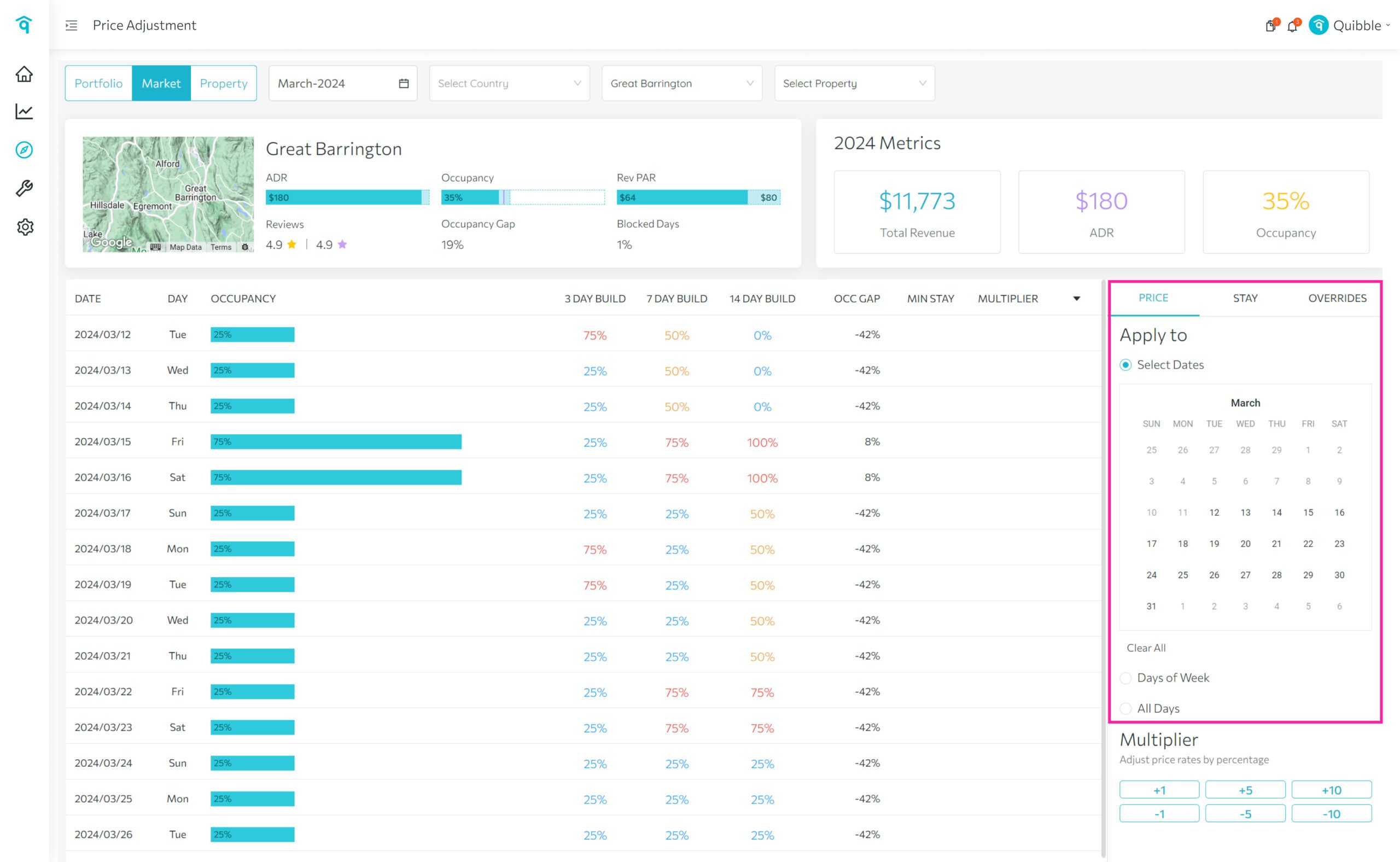
Choose the dates to apply the adjustment to.
7
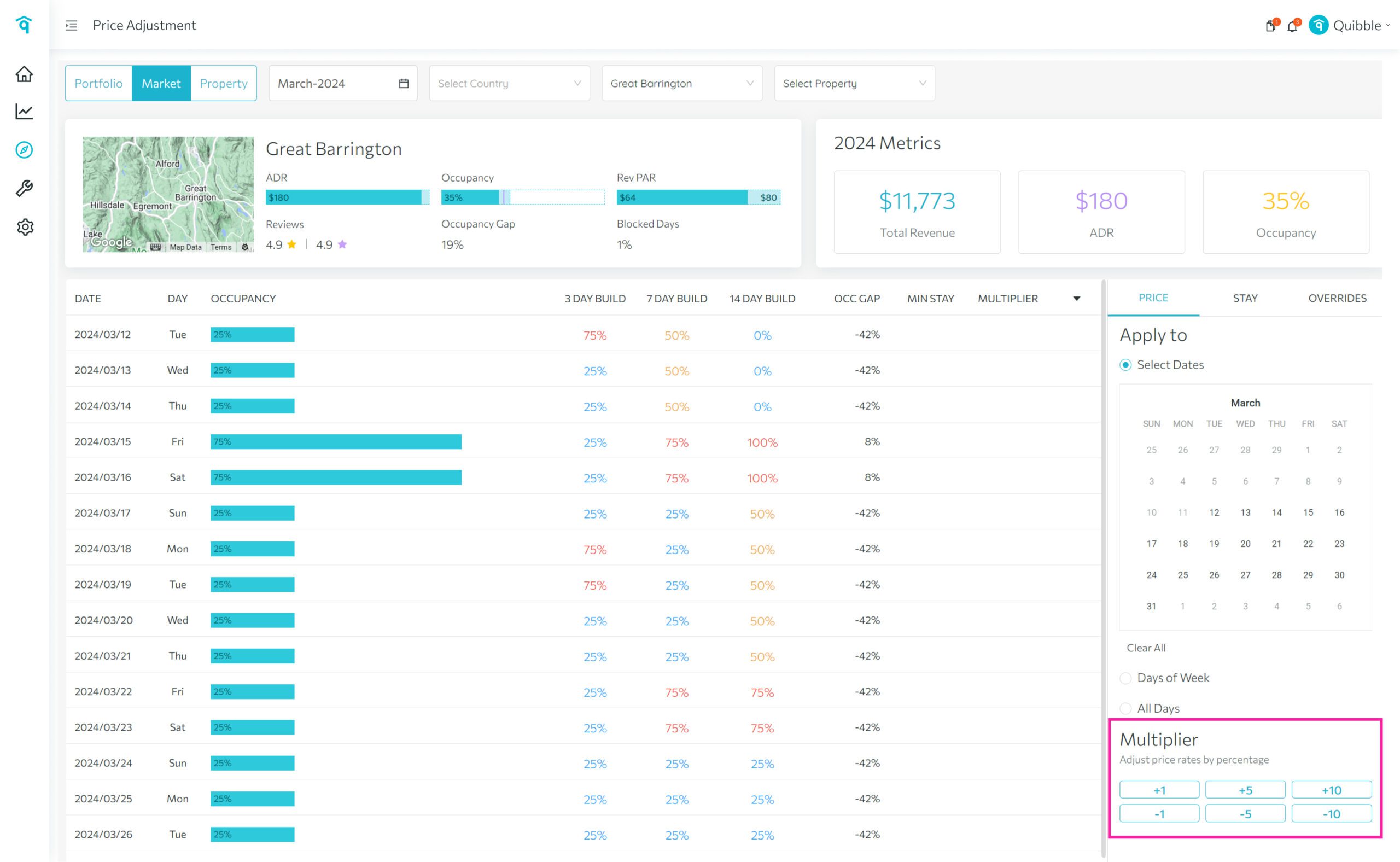
Select your multiplier, review the price impact, and set min/max prices as needed.
8
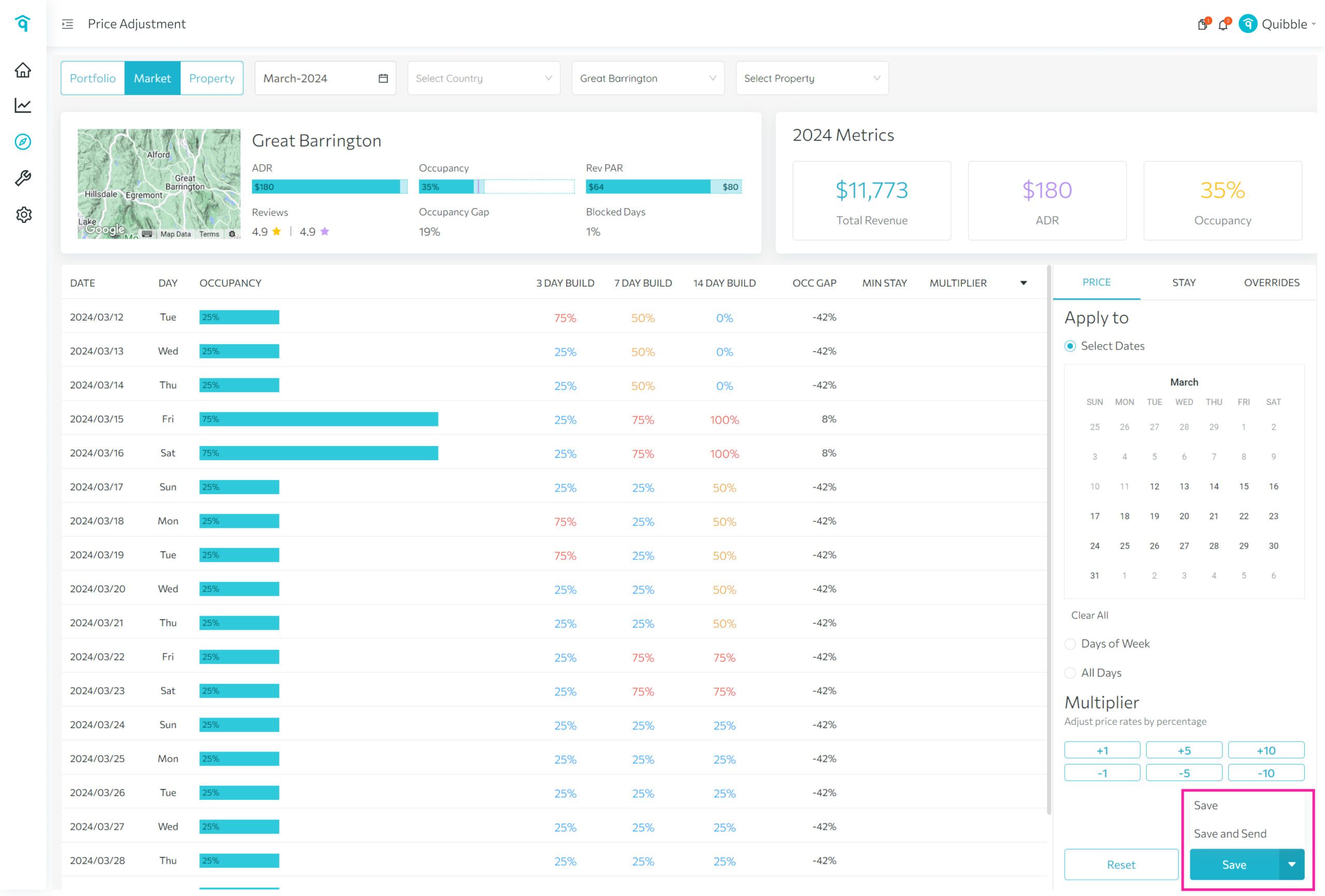
Click Save, or Save and Send for real-time application.
You can also queue markets: select them and click Add to Price Adjustment Queue.
Didn’t find what you needed? Contact us.