Event multipliers, tapers, and minimum stays for the nights that matter.
Local events detected and priced automatically — with last year’s performance next to this year’s suggestion, so every uplift is a decision, not a guess.
Auto-detected
The events that move demand in your markets are surfaced automatically.
Uplift, quantified
See the pricing response per event — and what it earned you last year.
Hands-off or hands-on
Accept the suggestion, tune the multiplier, or set your own min-stay.
Every event, with receipts
Each event shows how it performed this year versus last — occupancy, rate, compression — and what the engine suggests doing about it. Apply the suggestion or adjust it night by night.
An example with numbers
Illustrative figures. The optimized price for a Saturday is $200. A festival that weekend carries a +30% event multiplier and the portfolio multiplier is +5. Multipliers add as percentage points, so the price is $200 × (1 + 35 ÷ 100) = $270, then clamped to the listing’s floor and max. The nights either side taper (say +15% the night before), and a 3-night minimum stay keeps the peak from selling in single nights.
The rest of the OS
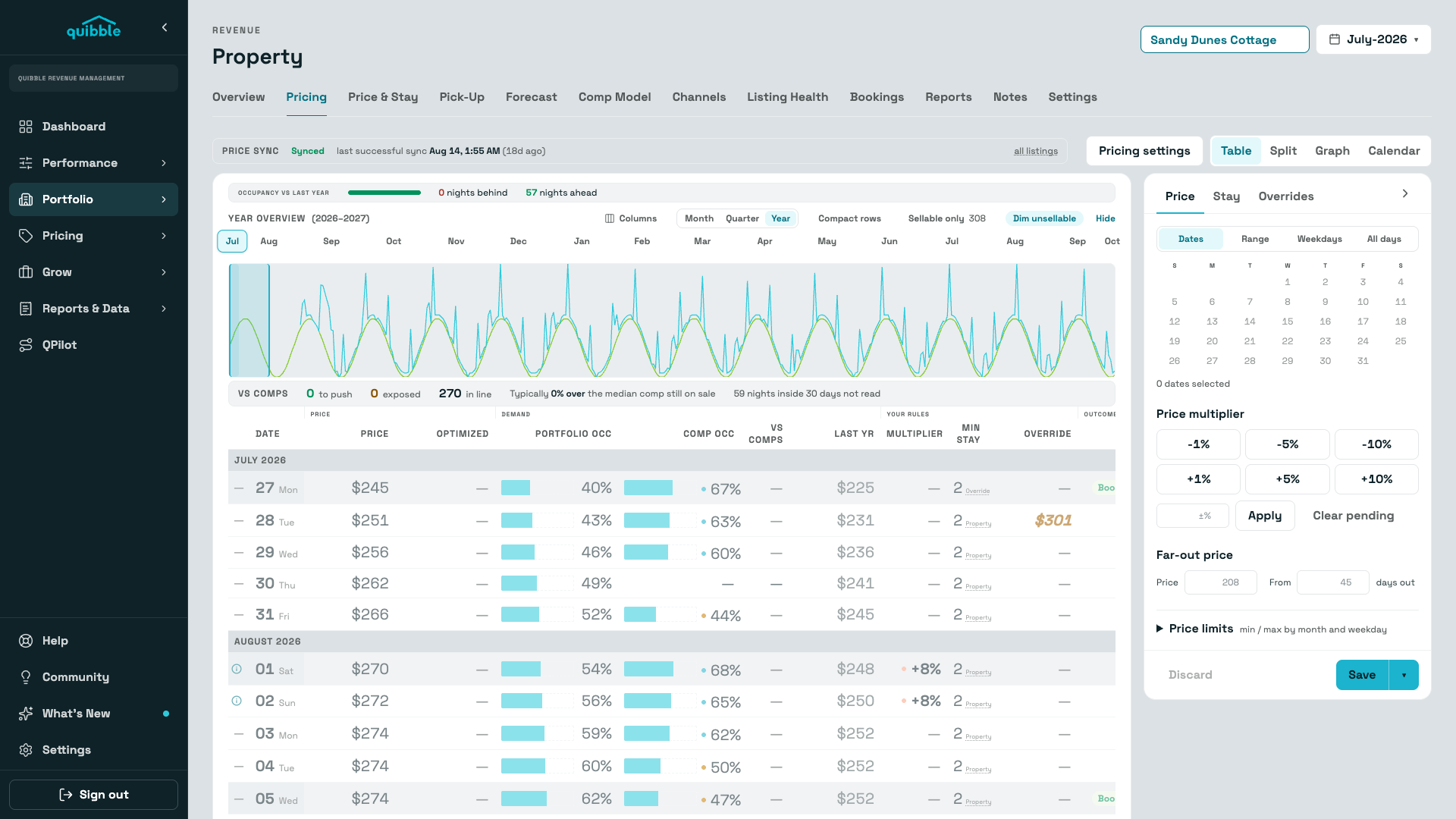
Pricing Engine
Dynamic pricing changes price over time by rules. Quibble sets each night’s price where expected revenue, price × the probability the night books at that price, is highest.
Explore →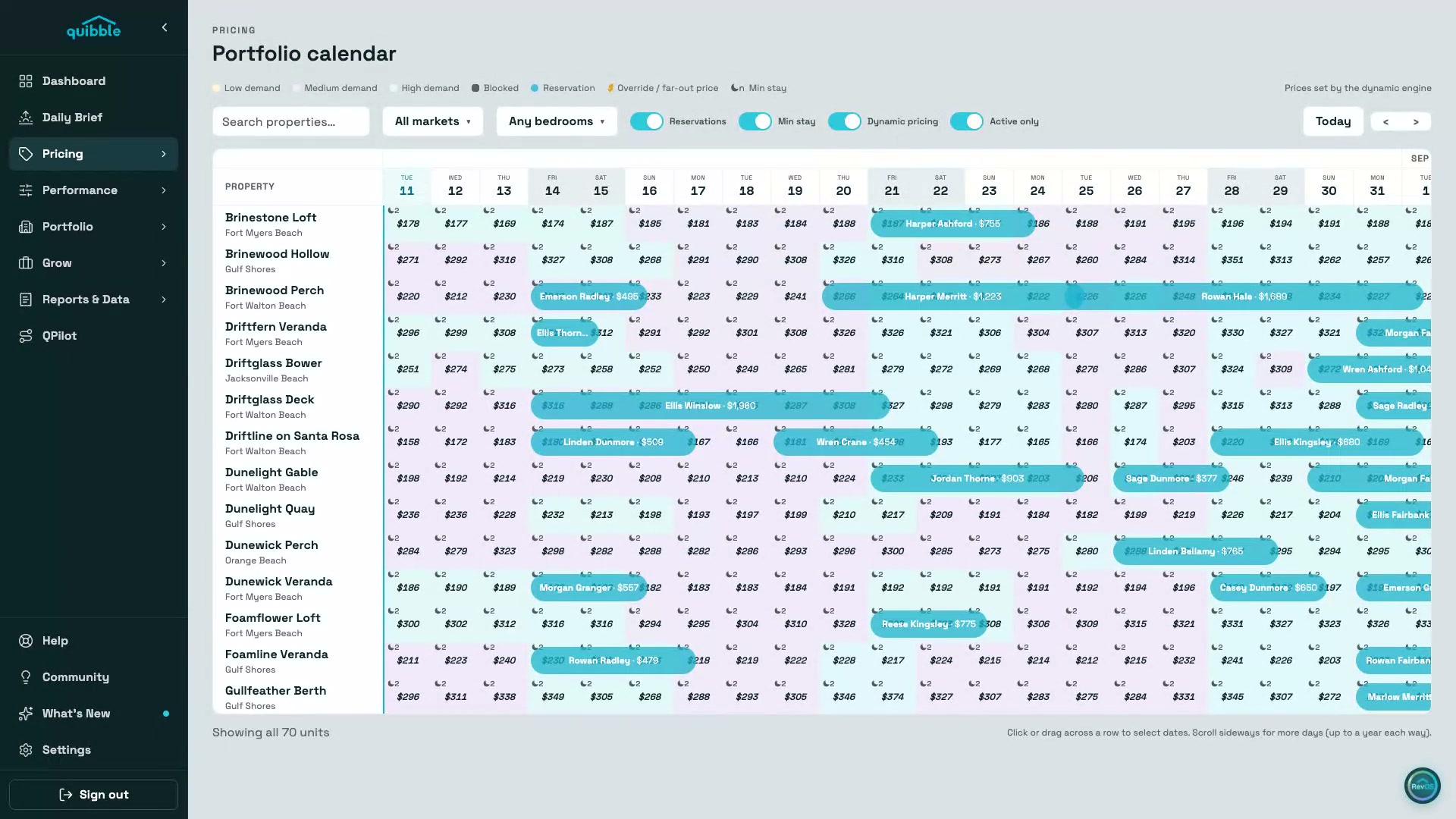
Portfolio Calendar
The whole book on one screen — engine-set prices, reservations, min-stay, and demand painted onto every night, up to a year each way.
Explore →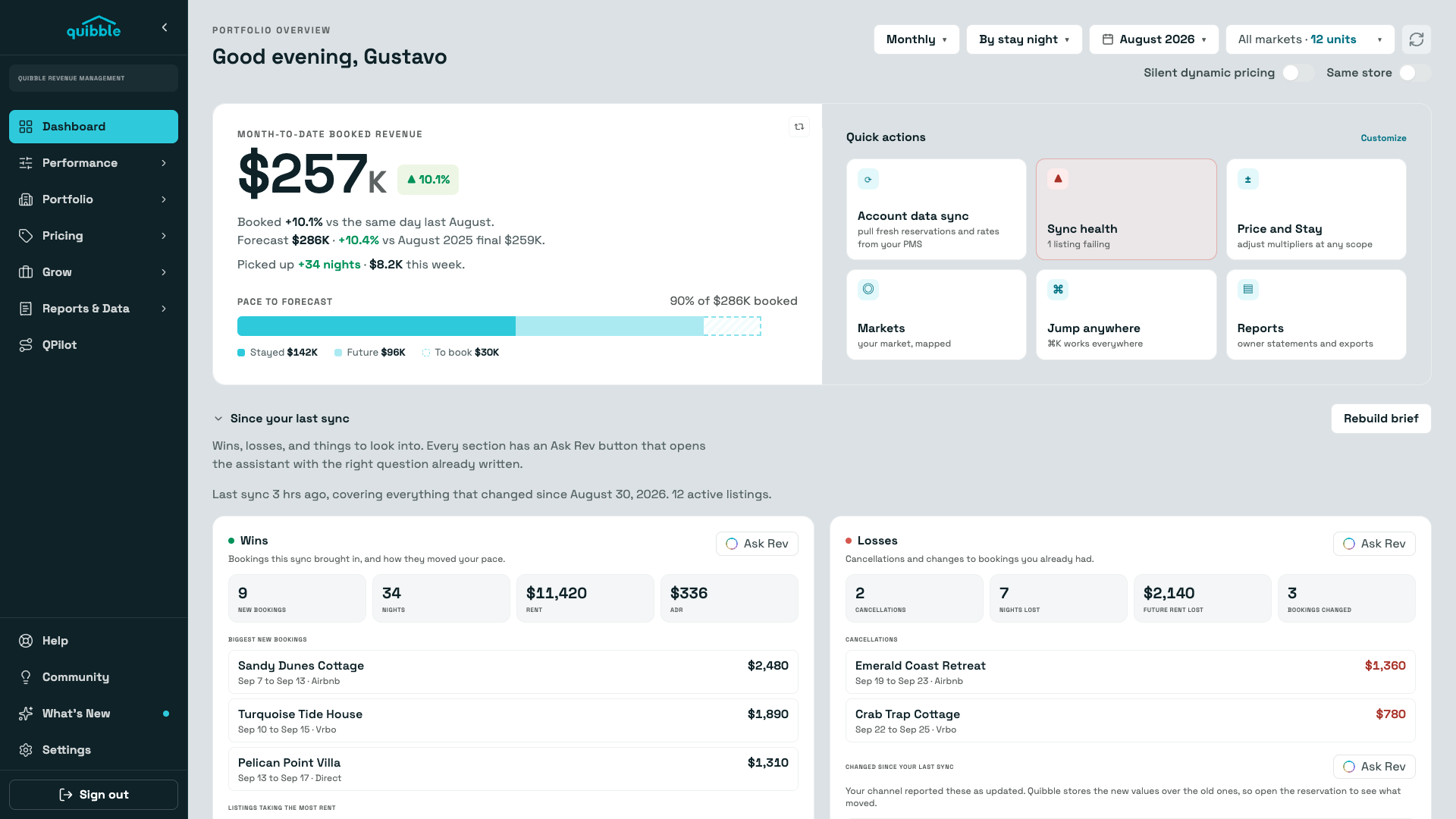
Insights & Daily Brief
A dashboard that reads your portfolio for you every morning: booked revenue against forecast, wins and losses since the last sync, and the units that need attention today.
Explore →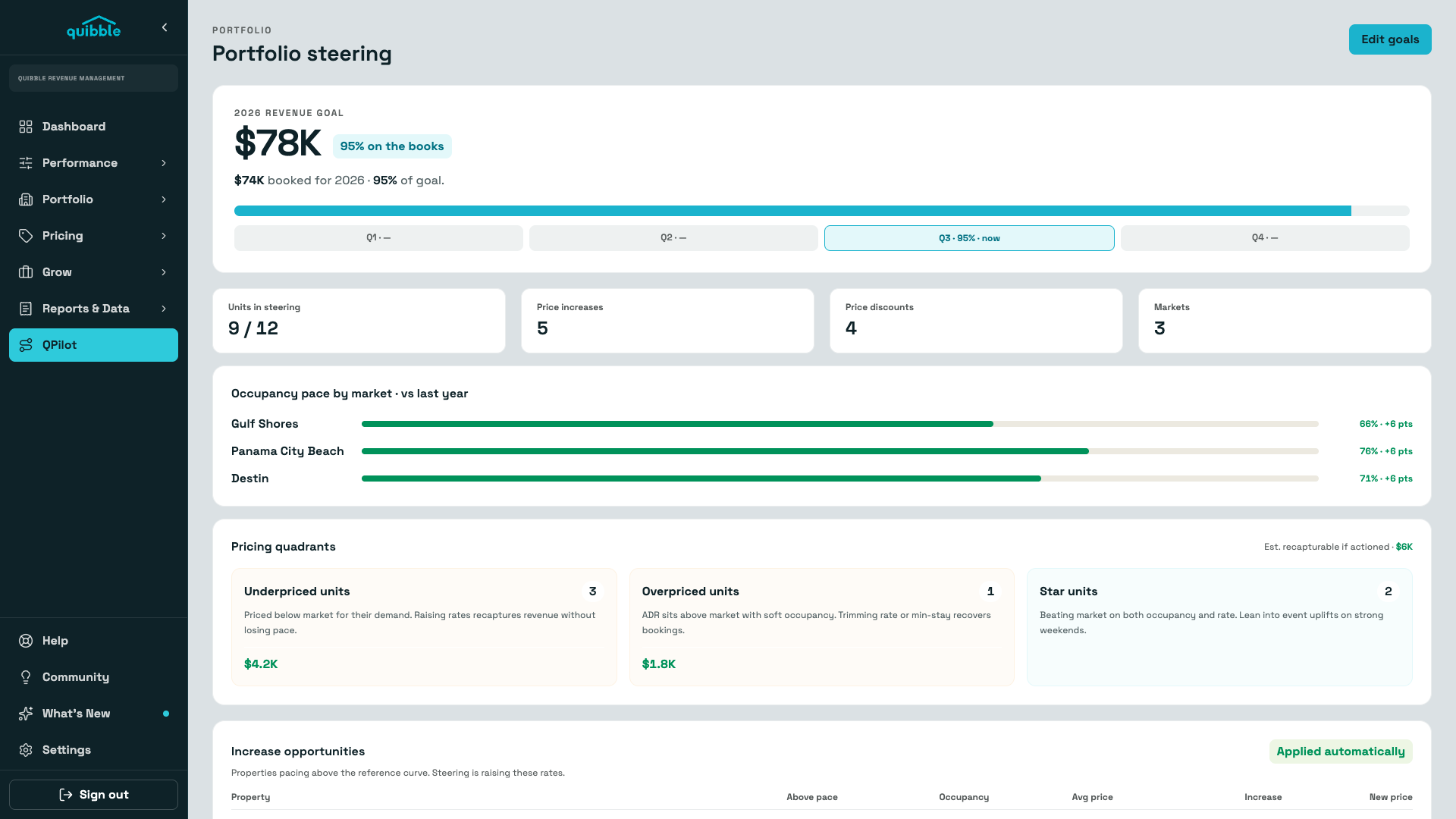
QPilot
Set an annual revenue goal and QPilot tracks the book against it, quantifies what’s recapturable, steers prices toward a reference curve inside your rules, and flags the units that need a human.
Explore →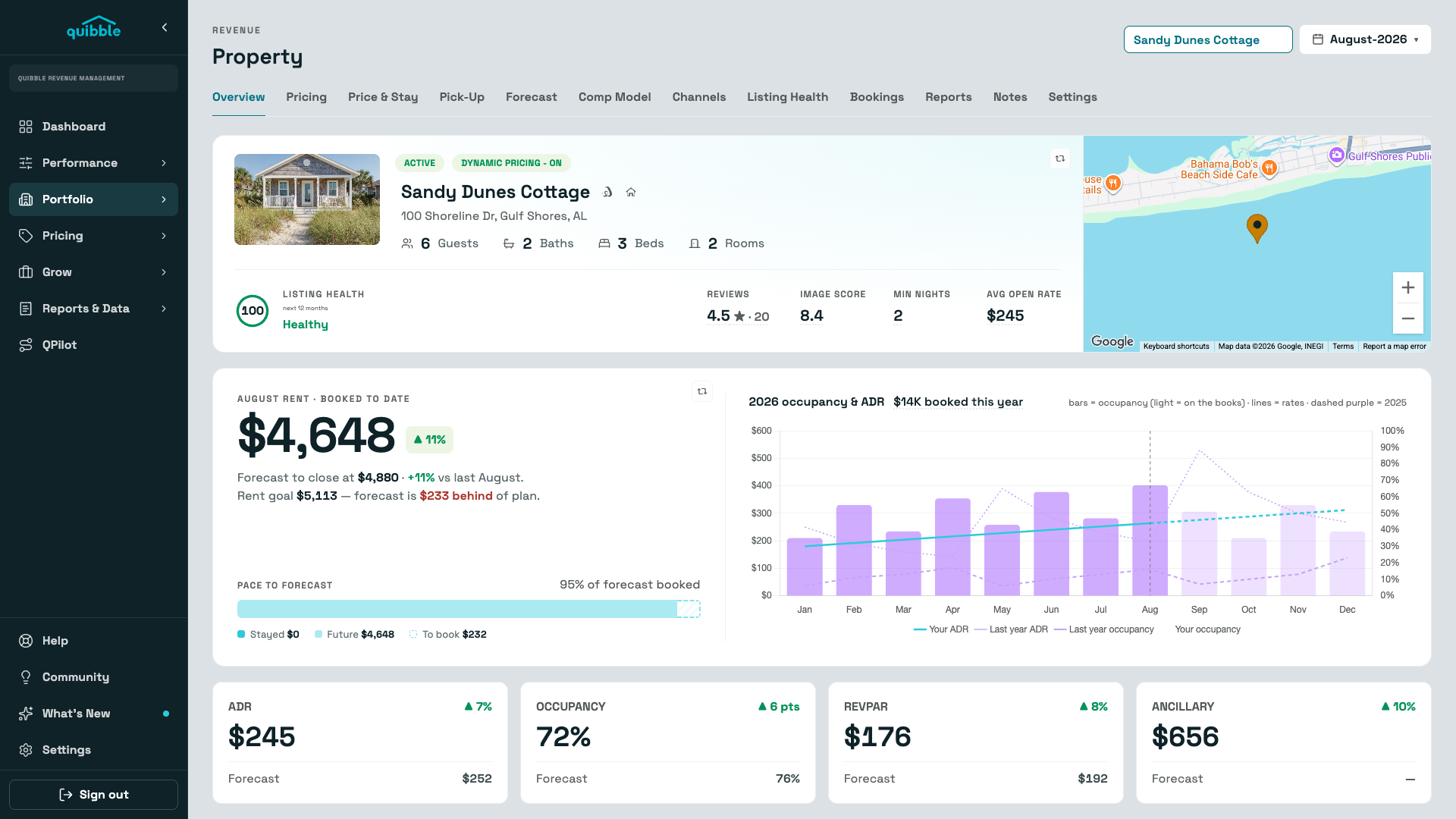
Properties
The whole portfolio ranked by occupancy gap — and a property page with the booking curve, comps, channels, listing health, and pricing history behind every number.
Explore →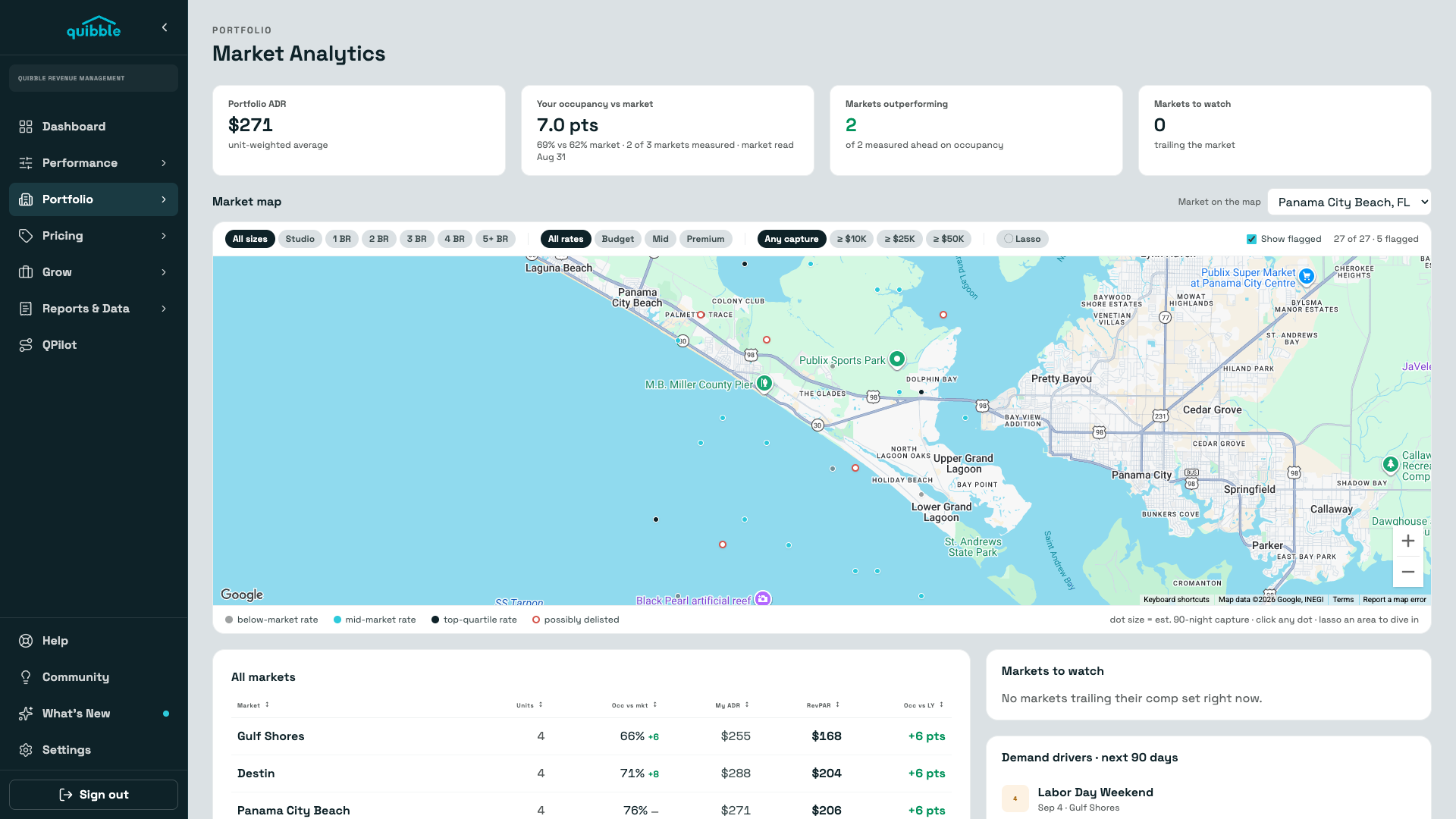
Market Analytics
Your occupancy and ADR against every market you operate in — with the tracked listings behind the comparison on a map, so a soft month gets a diagnosis instead of a guess.
Explore →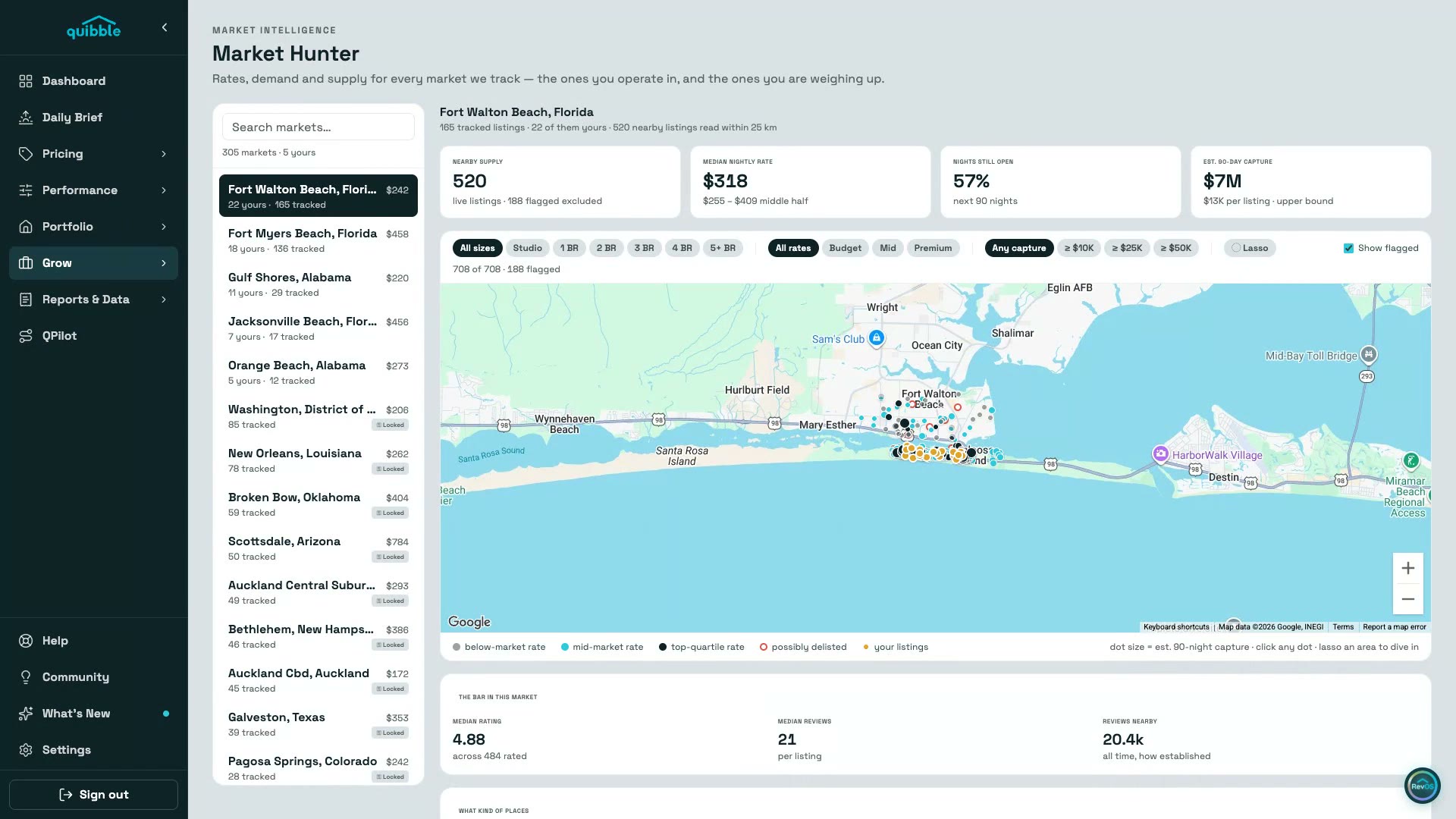
Market Hunter
The markets you operate in and the ones you’re weighing up — live supply, achievable rates, open nights, and the bar you’d have to clear, on a map you can lasso.
Explore →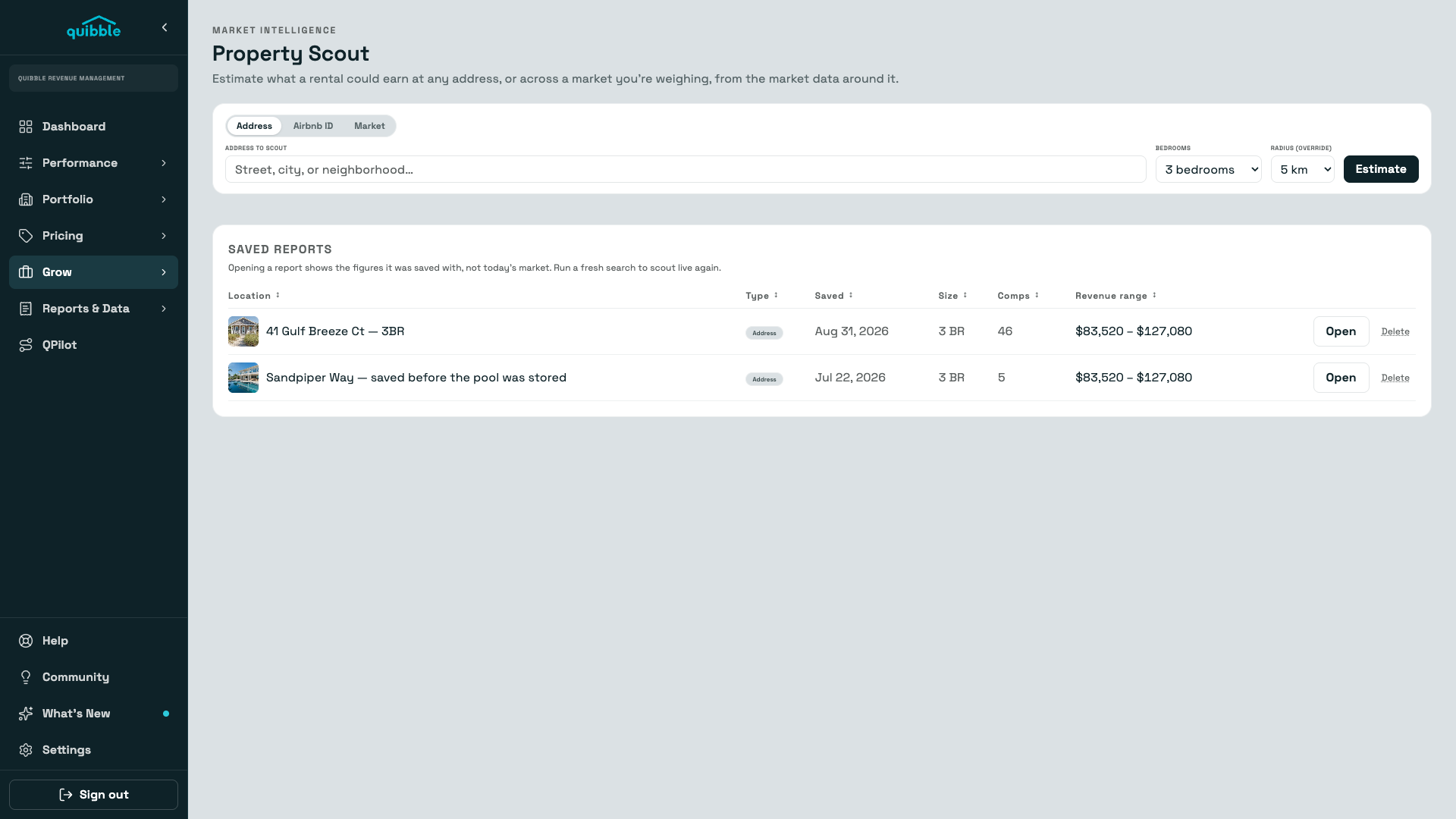
Property Scout
Point Scout at an address, a listing, or a whole market and get a month-by-month revenue picture across three pricing scenarios — built from the competitor rates around it.
Explore →