Set the target. Steer the whole book.
Set an annual revenue goal and QPilot tracks the book against it, quantifies what’s recapturable, steers prices toward a reference curve inside your rules, and flags the units that need a human.
Goal on the books
Your annual target, tracked quarter by quarter against what’s already booked.
Pricing quadrants
Underpriced, overpriced, and star units — each with the dollars at stake.
Your rules, its hands
Discount windows, max moves, reference curves — steering stays inside them.
Pricing with a destination
QPilot turns your target into a view by market: how each market sits on the books vs. last year, which listings are below or above their reference curve, and how many dollars are recapturable if you act this month.
Automation you configure, not inherit
Automatic increases and discounts are switches, not defaults. Set the window, the reference curve, and the maximum move — QPilot works inside the box you drew.
The rest of the OS
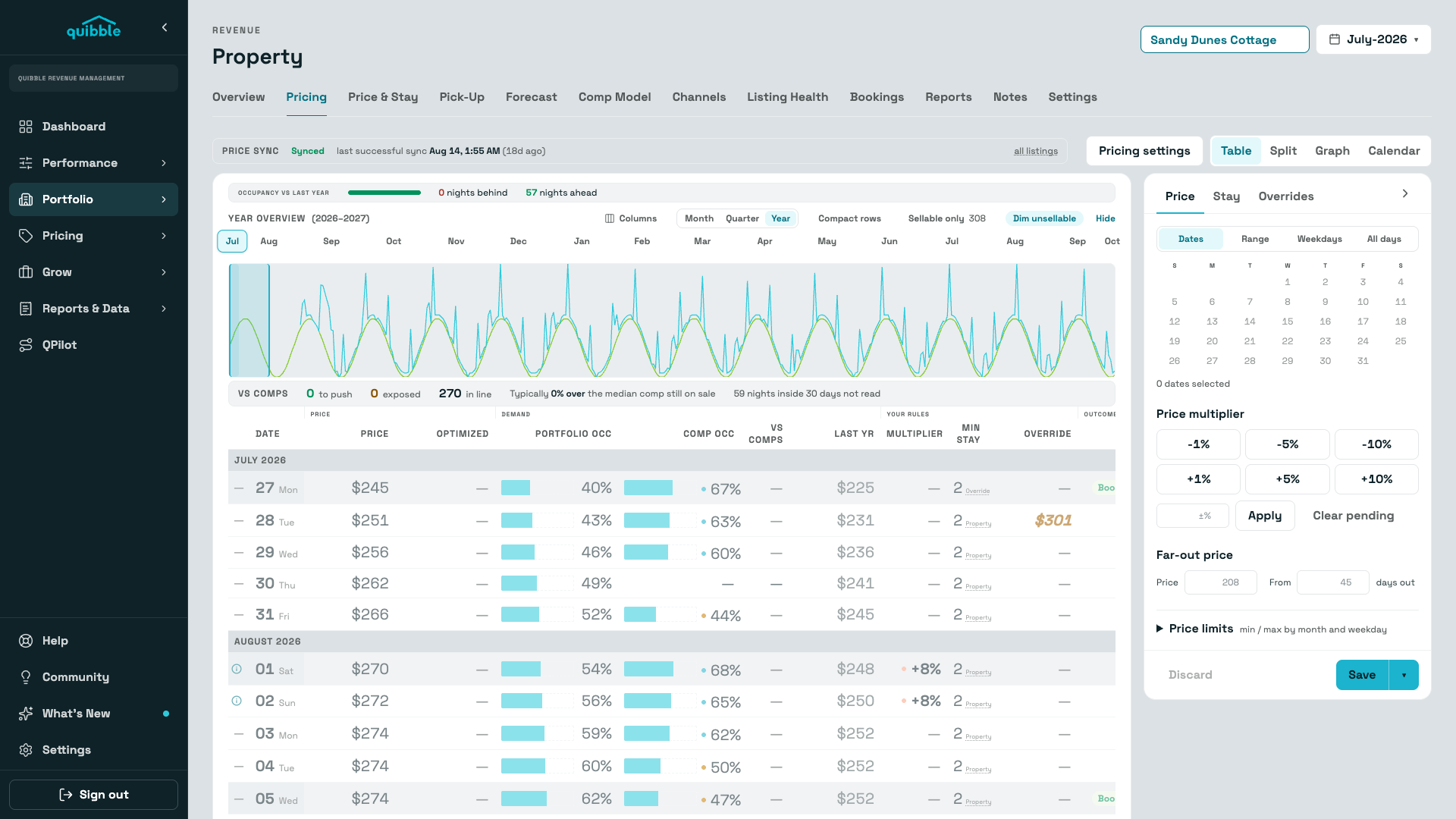
Pricing Engine
Dynamic pricing changes price over time by rules. Quibble sets each night’s price where expected revenue, price × the probability the night books at that price, is highest.
Explore →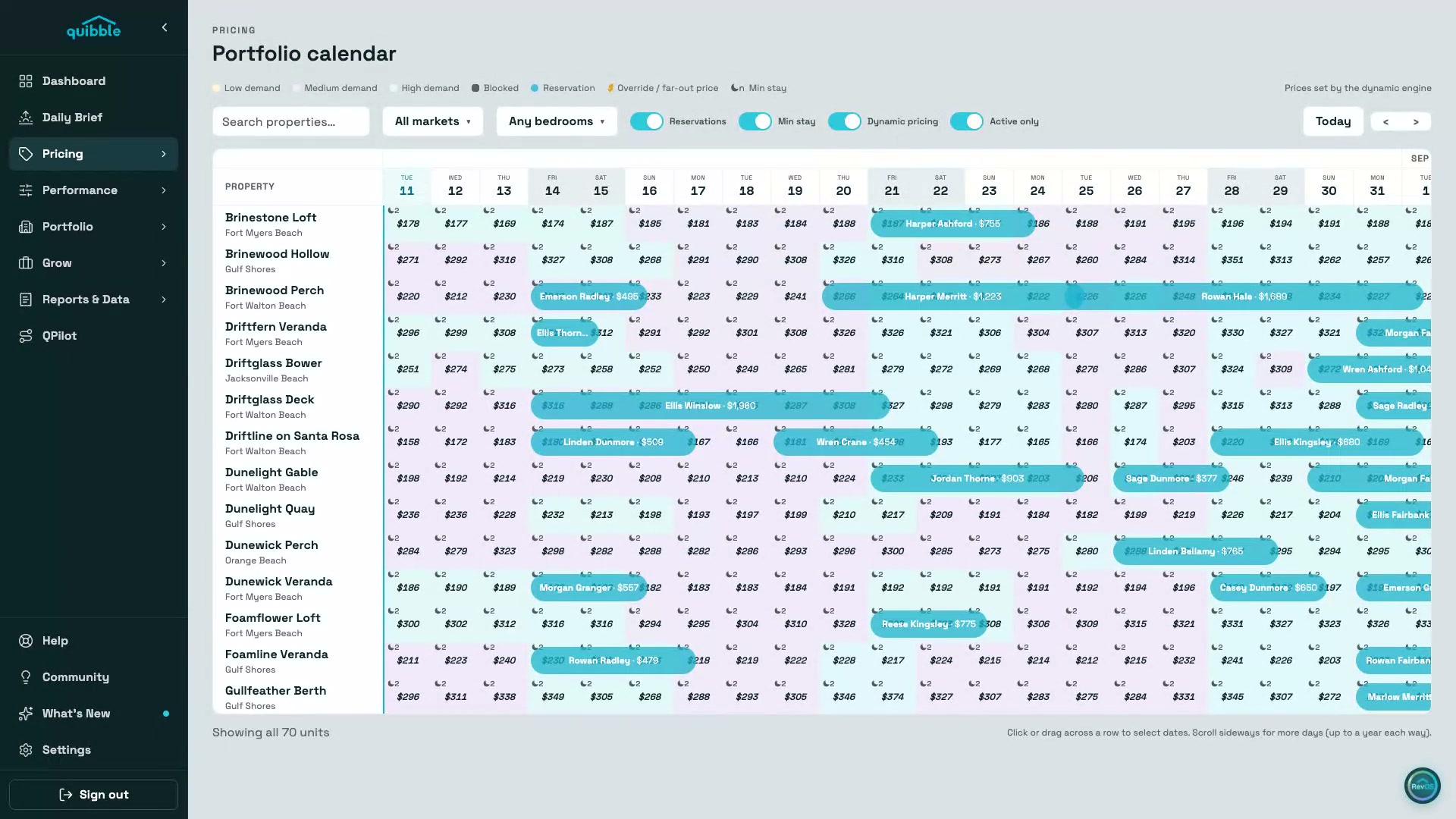
Portfolio Calendar
The whole book on one screen — engine-set prices, reservations, min-stay, and demand painted onto every night, up to a year each way.
Explore →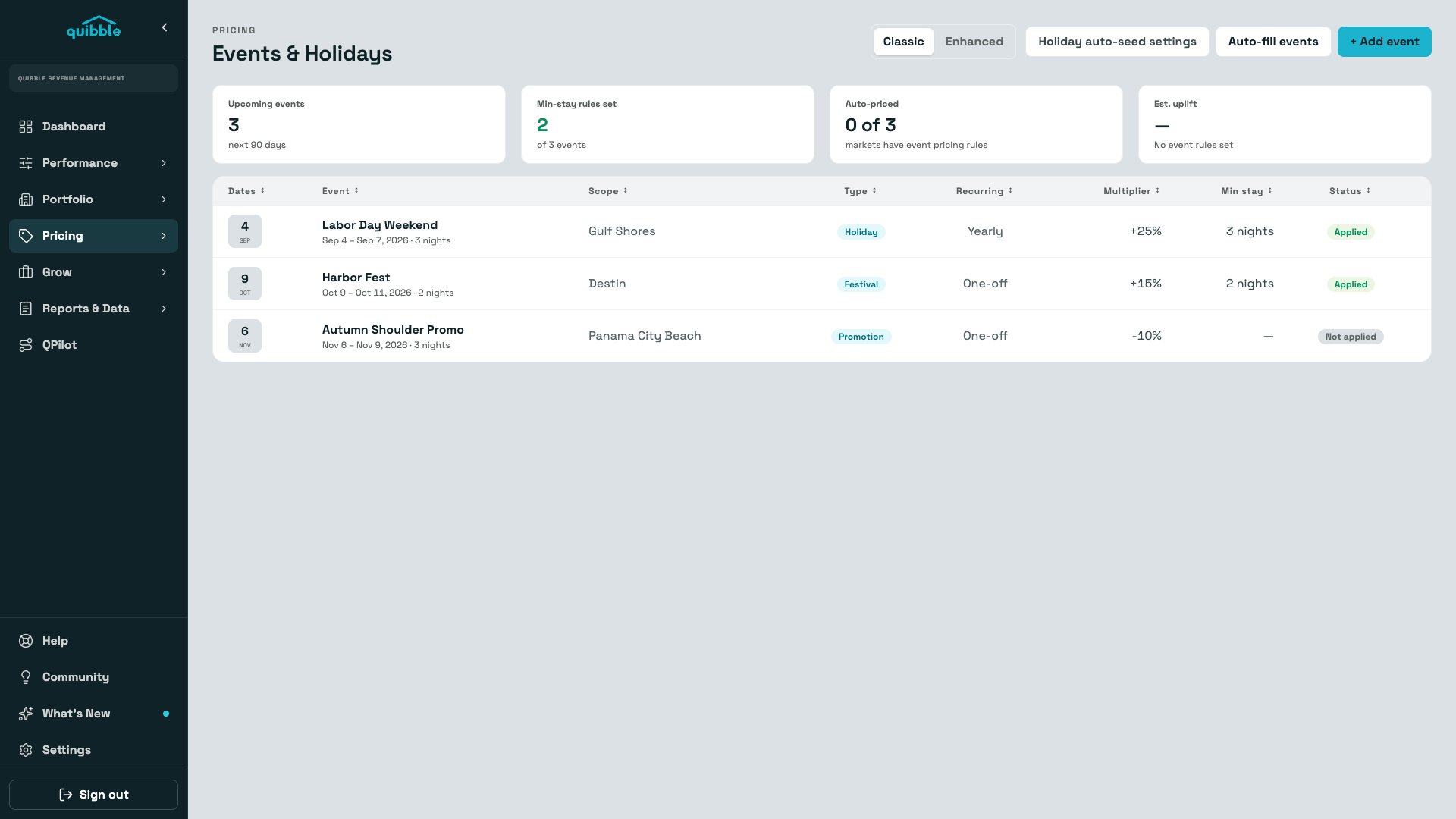
Events & Holidays
Local events detected and priced automatically — with last year’s performance next to this year’s suggestion, so every uplift is a decision, not a guess.
Explore →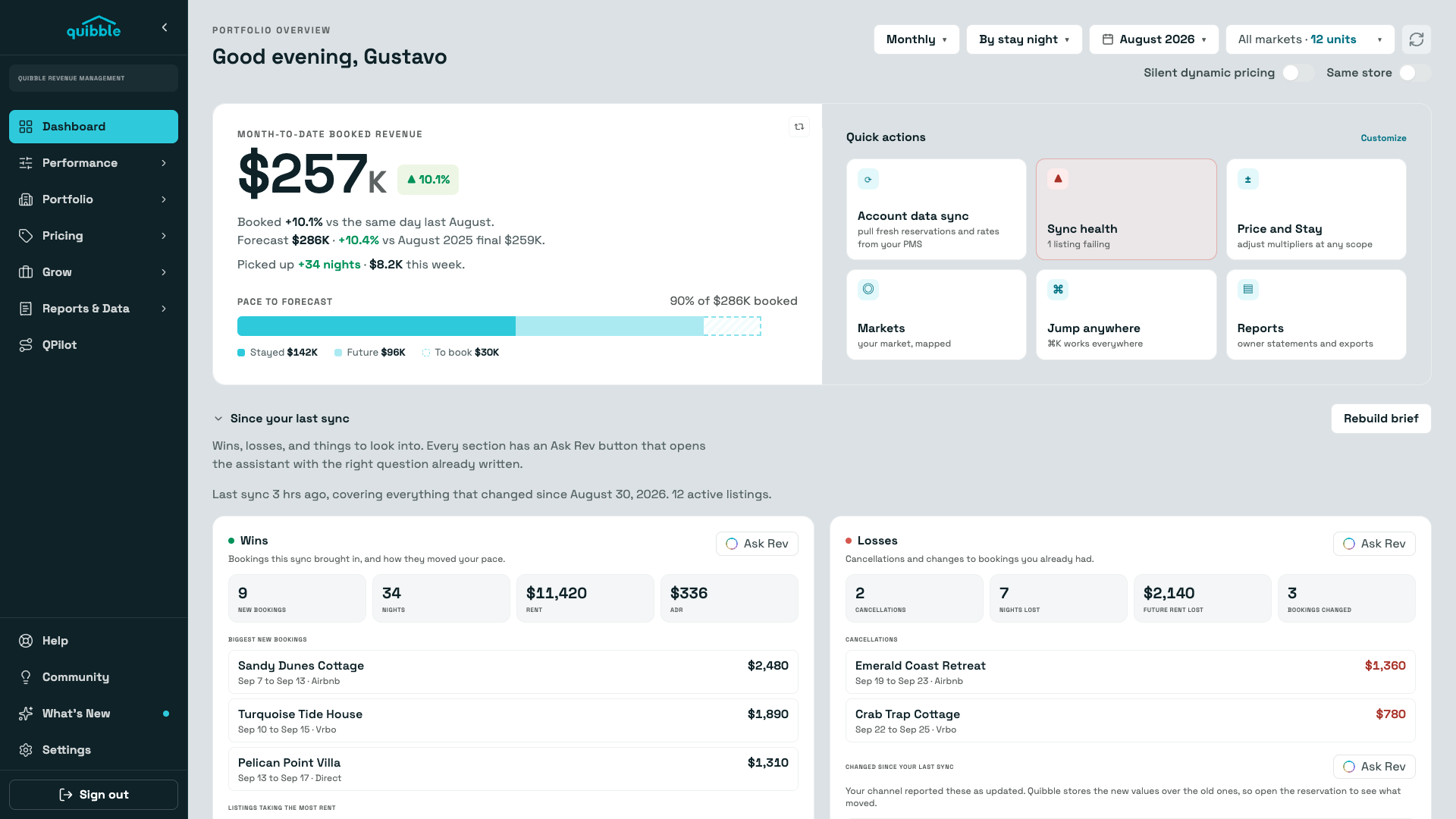
Insights & Daily Brief
A dashboard that reads your portfolio for you every morning: booked revenue against forecast, wins and losses since the last sync, and the units that need attention today.
Explore →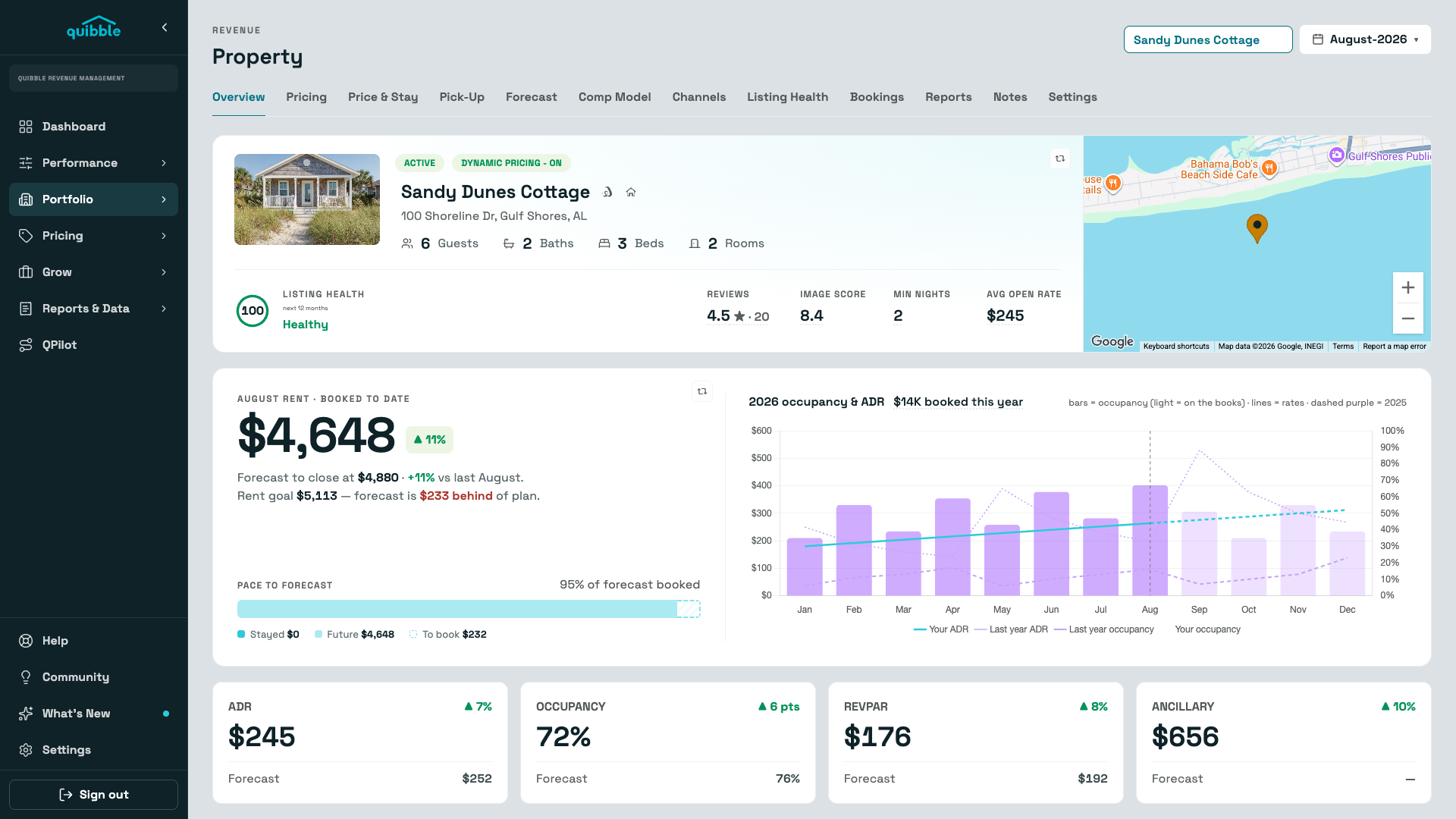
Properties
The whole portfolio ranked by occupancy gap — and a property page with the booking curve, comps, channels, listing health, and pricing history behind every number.
Explore →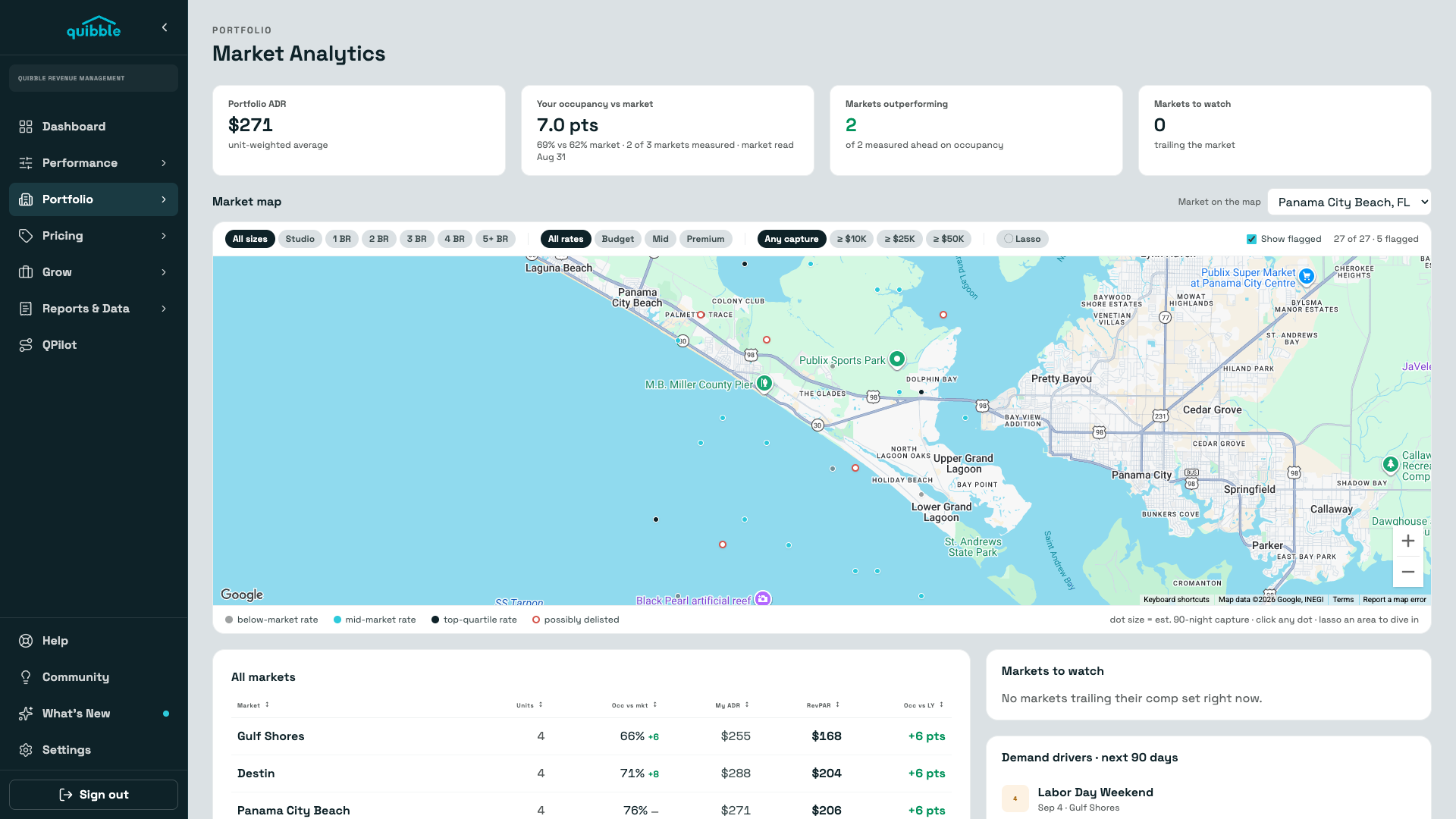
Market Analytics
Your occupancy and ADR against every market you operate in — with the tracked listings behind the comparison on a map, so a soft month gets a diagnosis instead of a guess.
Explore →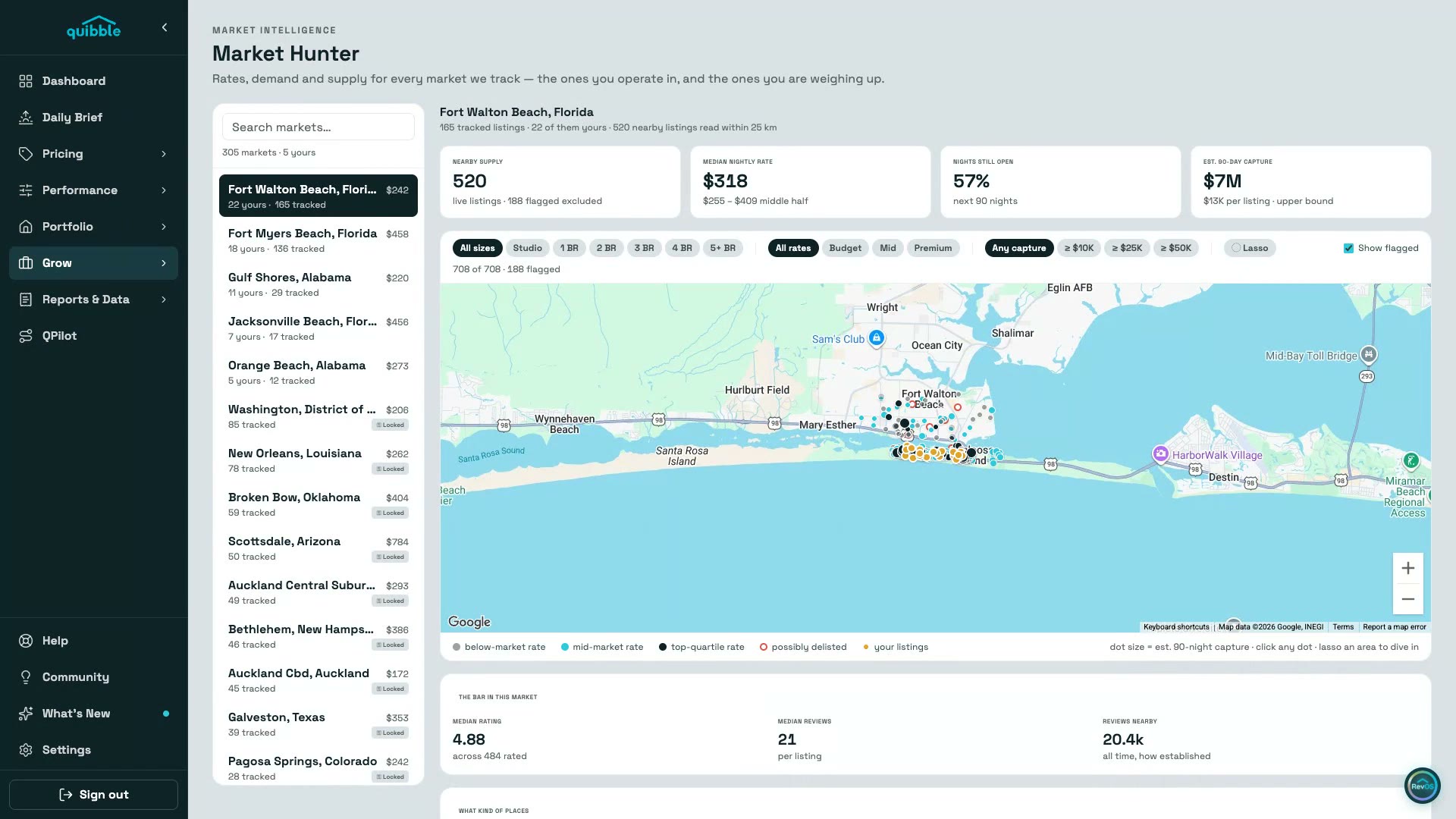
Market Hunter
The markets you operate in and the ones you’re weighing up — live supply, achievable rates, open nights, and the bar you’d have to clear, on a map you can lasso.
Explore →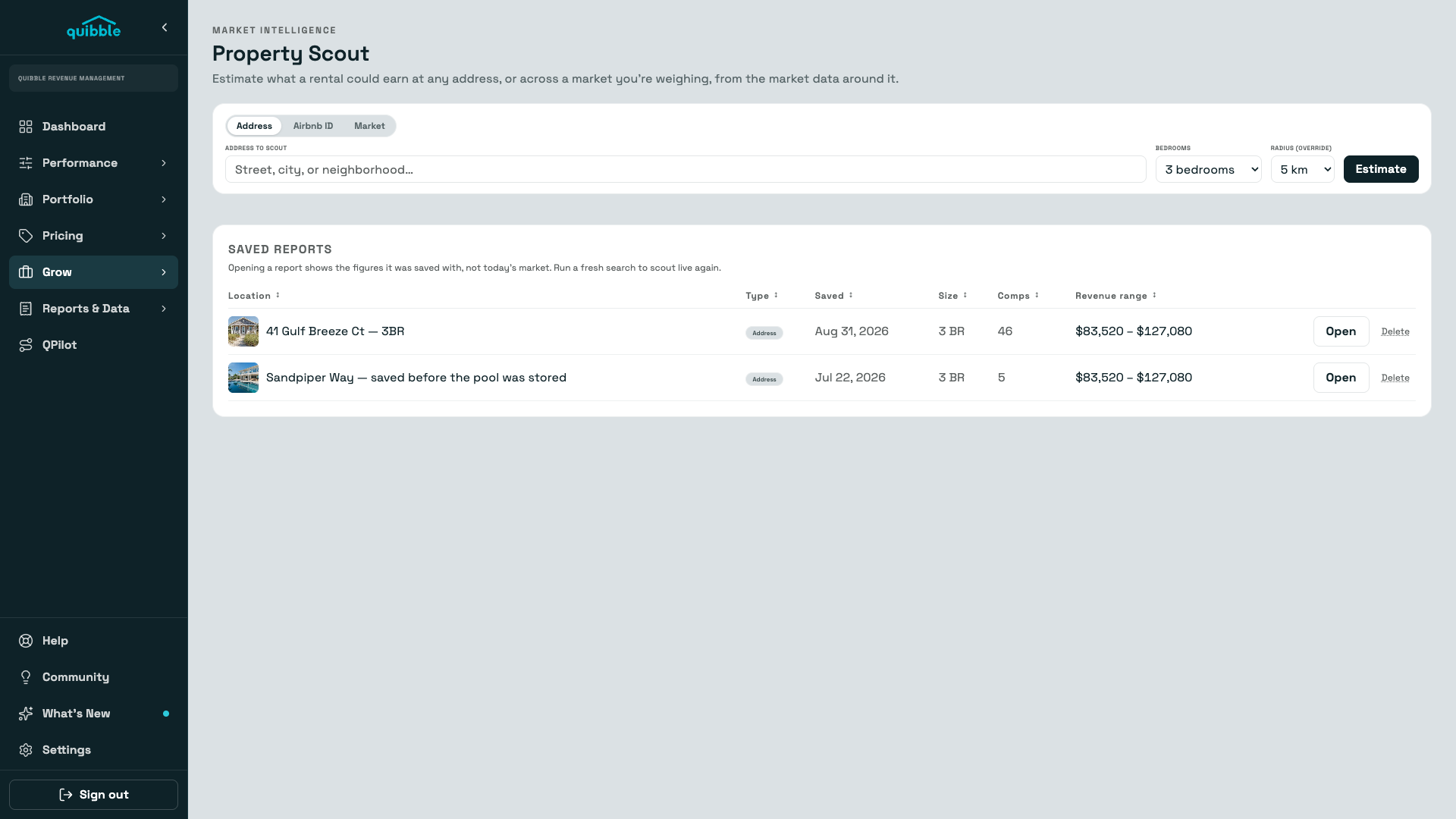
Property Scout
Point Scout at an address, a listing, or a whole market and get a month-by-month revenue picture across three pricing scenarios — built from the competitor rates around it.
Explore →