Account Setup: defaults for the portfolio and each market
Account Setup keeps two default levels for a reason. Policy that is yours to decide (minimum stay, weekend pricing) lives on the Portfolio card; facts about a place (which nights count as the weekend, which holidays matter) live on each market card. Listings inherit both unless they set their own value.
Open Account Setup under Portfolio. The defaults screen shows one Portfolio card and one card per market.
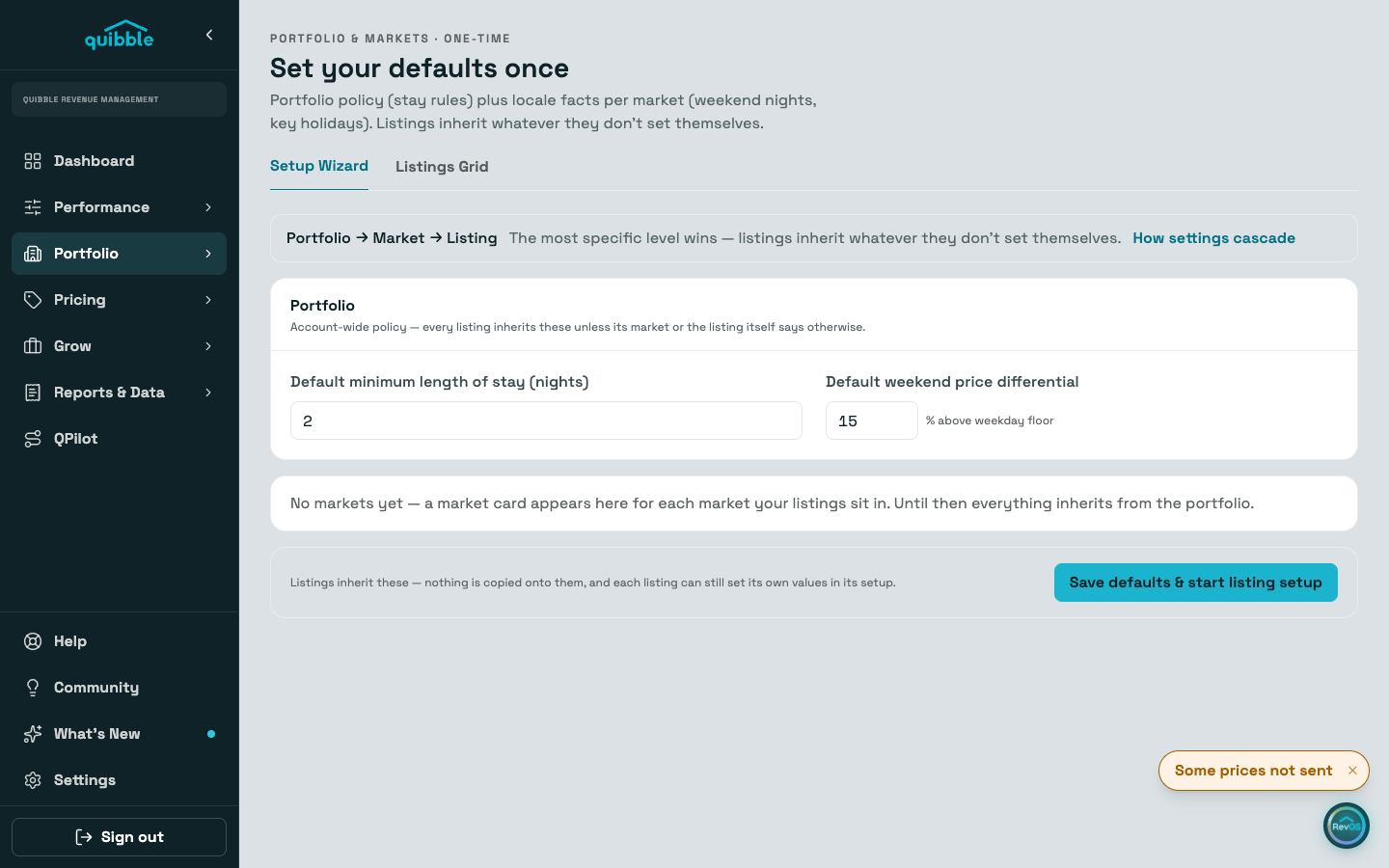
On the Portfolio card, set the default minimum length of stay and the default weekend price differential. This is account-wide policy; save it with the Save defaults & start listing setup button.
Open a market card to set which nights count as the weekend there and which key holidays matter in that market. Market cards save as you edit, and unset fields fall back to the portfolio.
Nothing is copied onto listings. Inheritance resolves when a value is read, so changing a default later reaches every listing that has not set its own.
Set up each listing in the Setup Wizard, or manage everything inline in the Listings Grid. A small chip names where an inherited value comes from, the market or the portfolio; no chip means the listing set it itself.
The ladder is listing, then market, then portfolio: the most specific level wins. The guide "How settings cascade: portfolio, market, listing" covers how these defaults meet stay rules and adjustments across the rest of the app.