Goal Planning
Goals are reporting targets. The Dashboard, Insights, and QPilot’s goal hero report against them, but the pricing engine never prices toward them, so a goal is safe to set honestly.
Open Goal Planning under Performance and pick the month with the stepper.
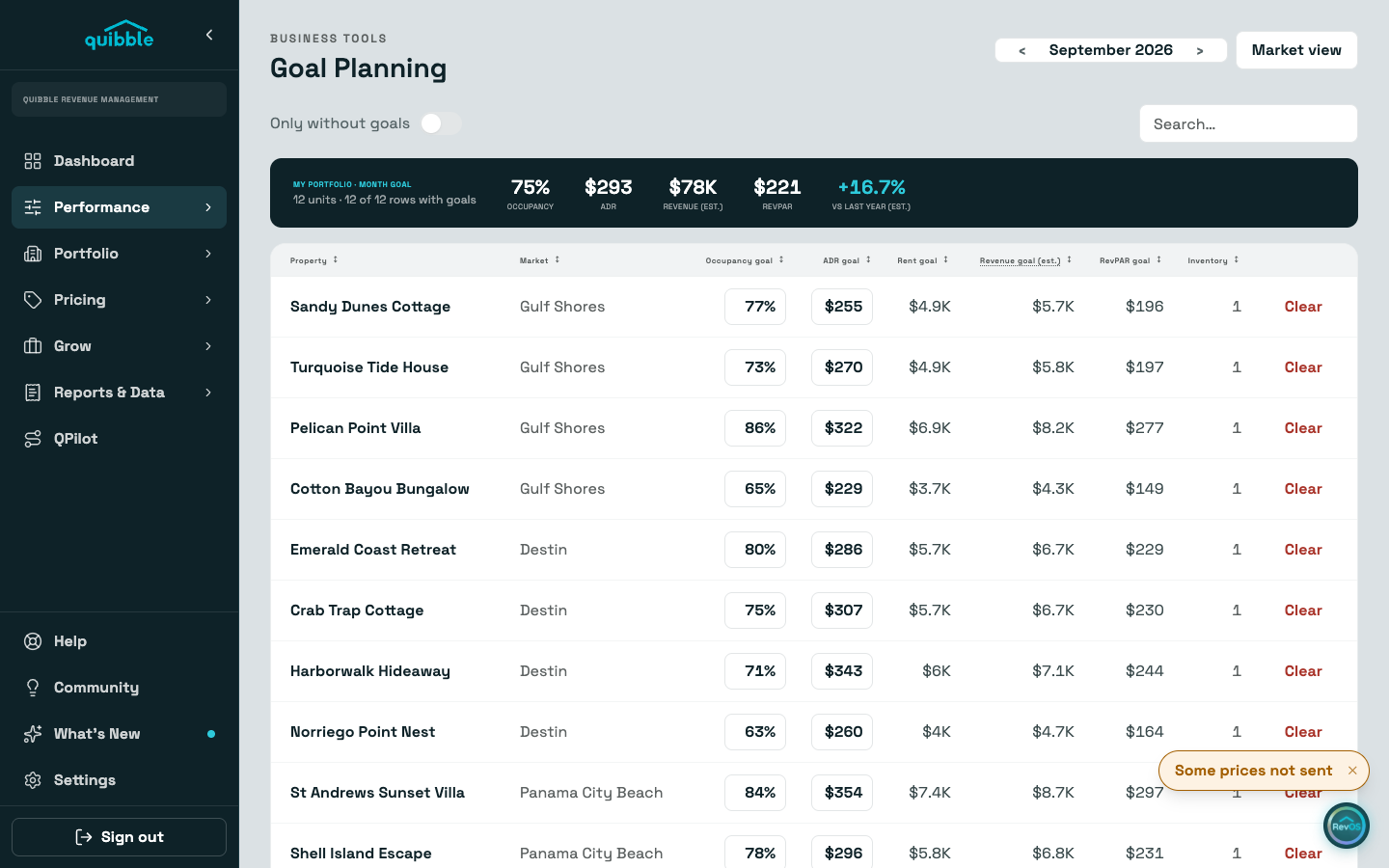
In property view, click a listing’s occupancy or ADR cell and type the goal. Those are the only two inputs; rent, estimated revenue, and RevPAR derive from them and your inventory.
Edited cells turn teal and stage until you Save. Staged edits belong to the month you typed them in: page to another month and they are set aside rather than carried over.
Market view rolls the same goals up per market, read-only. The portfolio strip on top averages the rows that carry goals and sums the revenue.
Clear removes a listing’s goal for the month, after an inline confirm.
Goals can also be set on a listing’s own Settings tab, and QPilot’s revenue hero tracks the year’s goals against what is booked.