How settings cascade: portfolio, market, listing
Pricing settings live at more than one level so you can set shared things once. Two rules cover almost everything: stay rules and overrides resolve to the most specific level, and price adjustments stack across levels.
Most specific wins: stay rules and overrides
Set stay rules and overrides at the scope you manage in Price and Stay — the portfolio, a market, a group, or a single property.
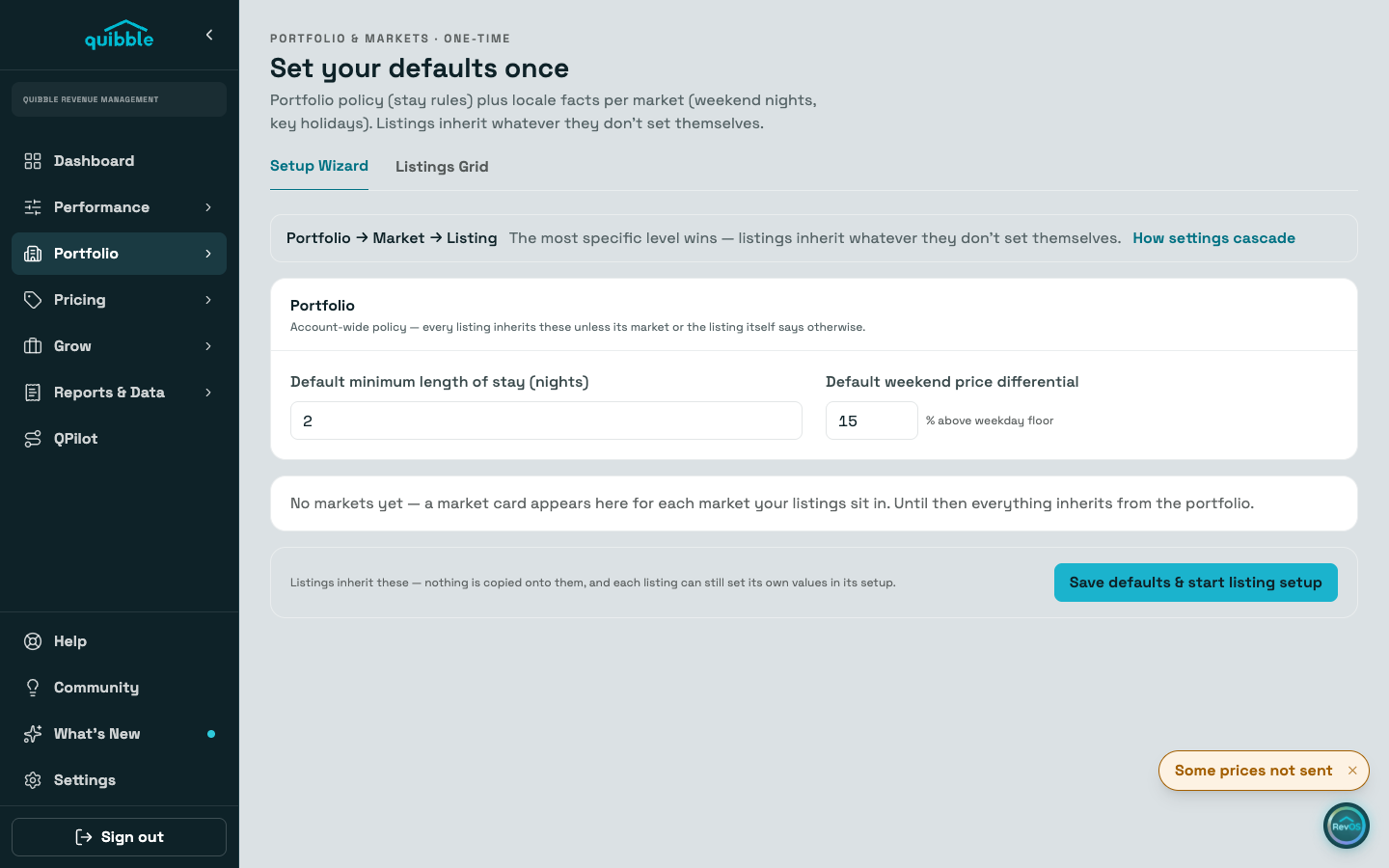
When a night has values at several levels, the most specific one applies: the listing’s own value first, then its group’s, then its market’s, then the portfolio’s.
The group level applies where Price and Stay offers it as a scope — stay values and adjustments. Account Setup’s defaults use a shorter ladder with no group level: listing, then market, then portfolio.
Adjustments stack
Price adjustments are different: a portfolio multiplier, a market or group multiplier, and a property multiplier all fold into the final nightly price rather than replacing each other.
To see exactly what moved a price, hover a night’s multiplier in the Price and Stay table — the Multiplier profile lists each level’s contribution.
Limits are per listing
Min and max price limits don’t cascade — they are set per listing, by month, with day-of-week rows available inside a month. Edit them on the property’s Pricing tab.
Account Setup’s two default levels
In Account Setup, the Portfolio card holds account-wide policy (default minimum stay, weekend price differential) and each market card holds locale facts (which nights are the weekend, which key holidays matter there).
Listings inherit whatever they don’t set themselves. A small chip next to an inherited value names where it comes from — the market or the portfolio; no chip means the listing set it.
- Change policy and locale defaults in Account Setup; change stay scopes and adjustments in Price and Stay; change a single listing’s limits and overrides on its Pricing tab.
- A listing-level override is a last resort for fixed rates; use multipliers first. Nothing else moves an overridden night, so clear it when the reason passes.
- The Setup page’s two default levels have their own guide: "Account Setup: defaults for the portfolio and each market".