Markets: your market on a map
Open Markets and pick a market from the map picker, or open one market for its full page. The map plots every nearby listing we track — dot size is estimated 90-night revenue, color is rate tier, amber dots are yours.
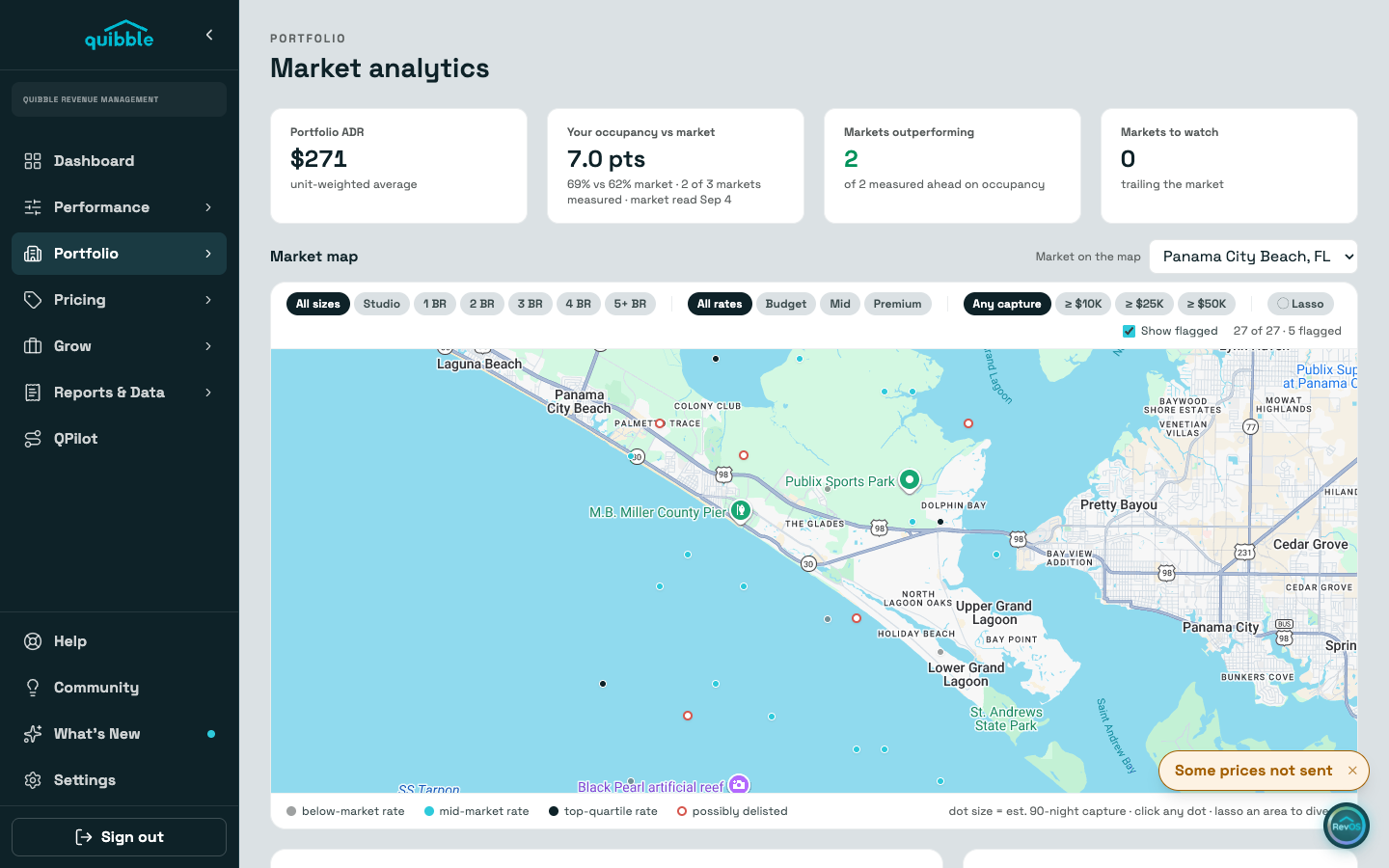
Click any dot for the listing’s card: photo, rating, nightly rate, nights closed, estimated revenue, and the link out to the listing.
Filter by size, rate tier, or revenue floor. Listings flagged as possibly delisted render hollow red and are excluded from the market numbers.
Below the map on a market page: the demand calendar, rates by bedroom size against yours, the months ahead, top earners nearby, and your listings’ position one by one. A market page has two tabs, Overview and Settings; Settings holds the market’s stay rules (check-in weekdays, blocked dates, arrival spacing). Weekend nights and key holidays live on the market’s card in Account Setup.
Estimates read forward calendars. Closed nights include owner blocks, so revenue figures are upper bounds.