Owner statements
Open Owner Statements under Reports & Data. Scope the statement: a period preset or custom dates, the listings it covers, and the revenue basis.
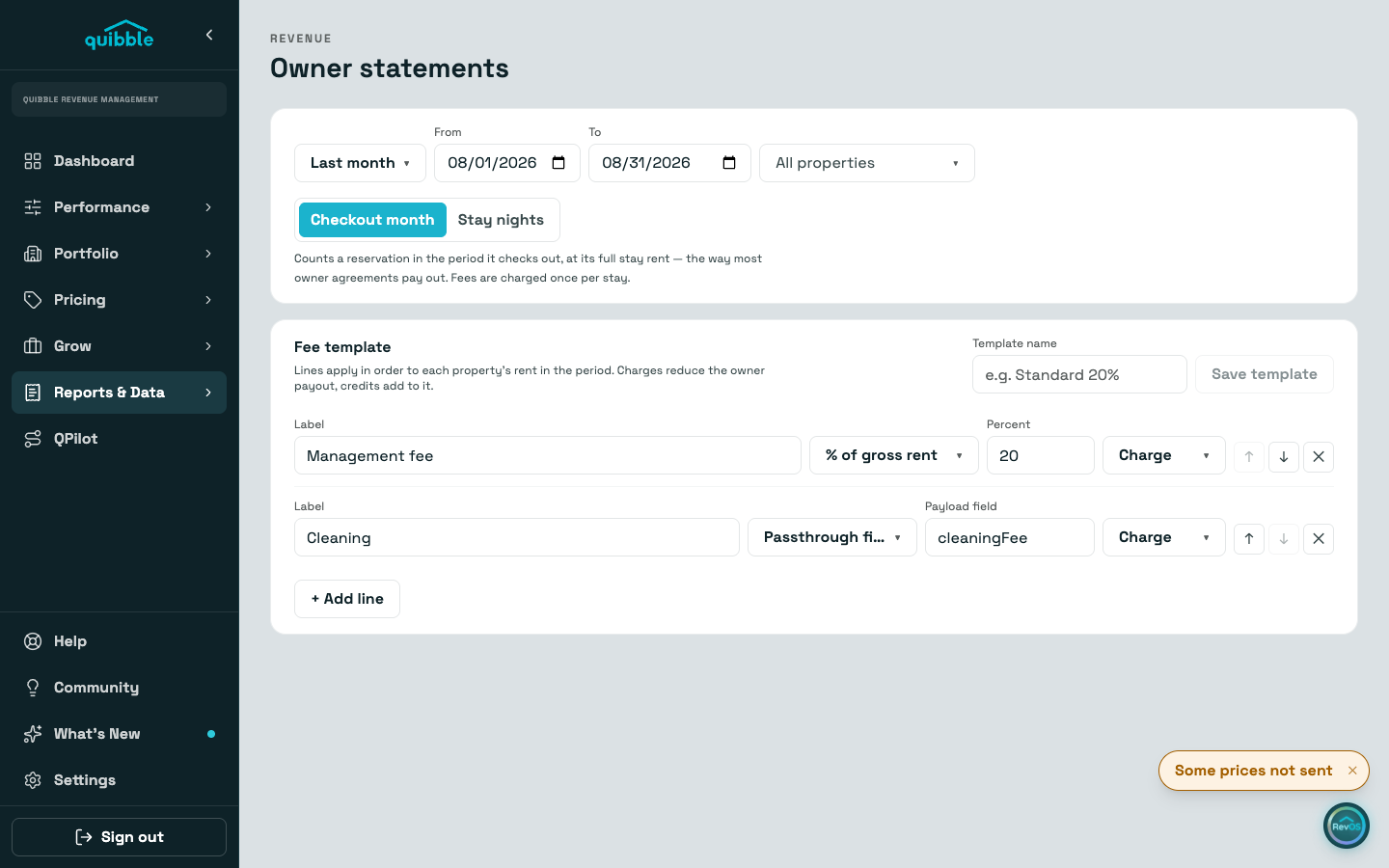
Pick the basis deliberately. Checkout month counts each stay in the period it checks out, at its full rent; Stay nights prorates rent across the nights inside the period and leaves fees whole.
Build the fee template. Lines apply in order to each listing’s rent: a percent of gross, a fixed amount per reservation or per period, or a passthrough field straight from your PMS data, each as a charge or a credit.
Save the template under a name to reuse it. Templates live in this browser, so save them again on a second machine.
The preview shows a portfolio summary and one card per listing with every stay and the computed fee lines. Export with Print / PDF, or as an Excel file.
The coverage line under the preview is honest about gaps: listings without activity, stays with unrecognized statuses, and lines the data cannot fill are called out rather than counted as zero.