Sync Status: did my prices reach the channel?
Open Sync Status under Pricing. Three cards up top: the ticker counting every night-price Quibble has optimized for you, Price sync (from Quibble to your PMS, with the last manual push), and Account data sync (from your PMS into Quibble).
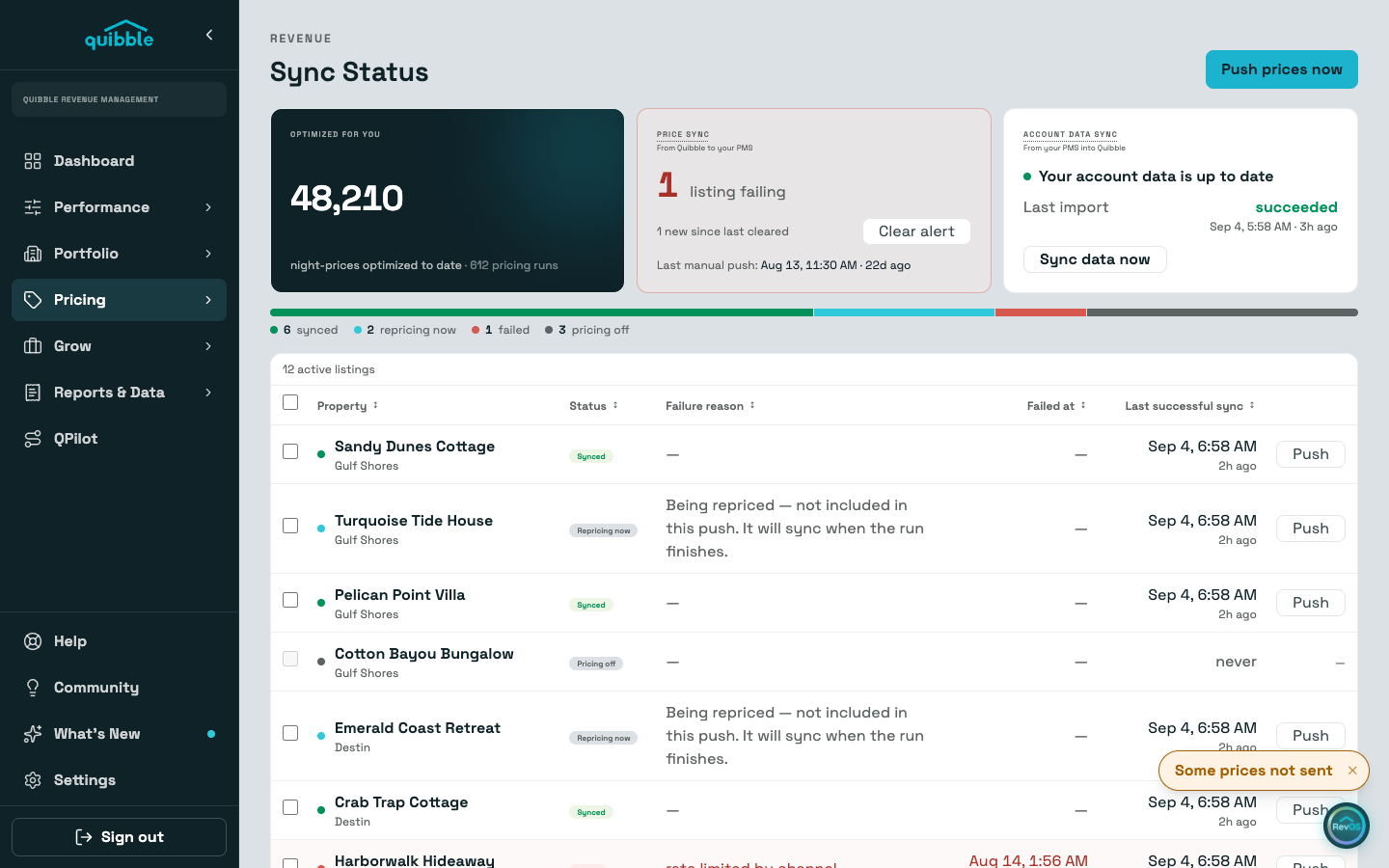
The table lists each listing with its last successful push, shown in your local time. Failures sort to the top and say why.
Push a single listing from its row, select several for Push selected, or use Push prices now in the page header for everything; the account-wide push confirms before it fires.
The red badge on the menu counts failures you have not seen; Clear alert acknowledges them once handled.
A failed push means the channel is still selling on the last prices that did land. Rate drift, at the bottom of the page, lists nights where the channel and Quibble disagree.