Keeping data in sync with your PMS
1
Reservations, calendars, and property changes sync from your PMS automatically every day.
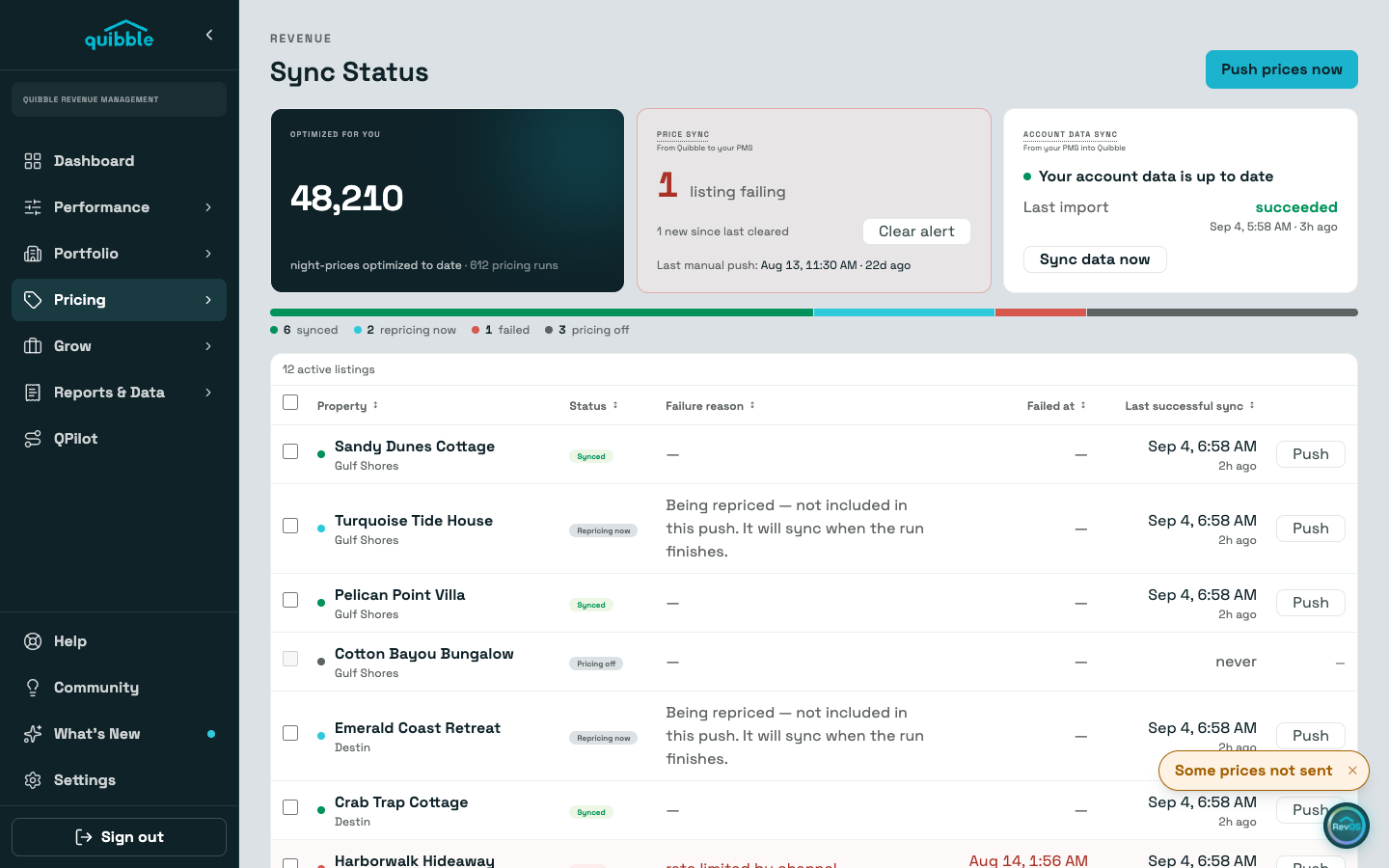
2
Prices flow the other way: Quibble pushes optimized rates to the PMS for every listing with Dynamic Pricing on.
3
To push prices on demand, open Sync Status and use Push on a listing, select several for Push selected, or Push prices now in the header for everything at once.
To pull data in rather than push prices out, use Sync data now on the Account data sync card. Both are rate-limited: data refreshes to one every 15 minutes and account-wide price pushes to one every few minutes. Retry too soon and the page tells you how long to wait.
Didn’t find what you needed? Contact us.