The Working Queue
1
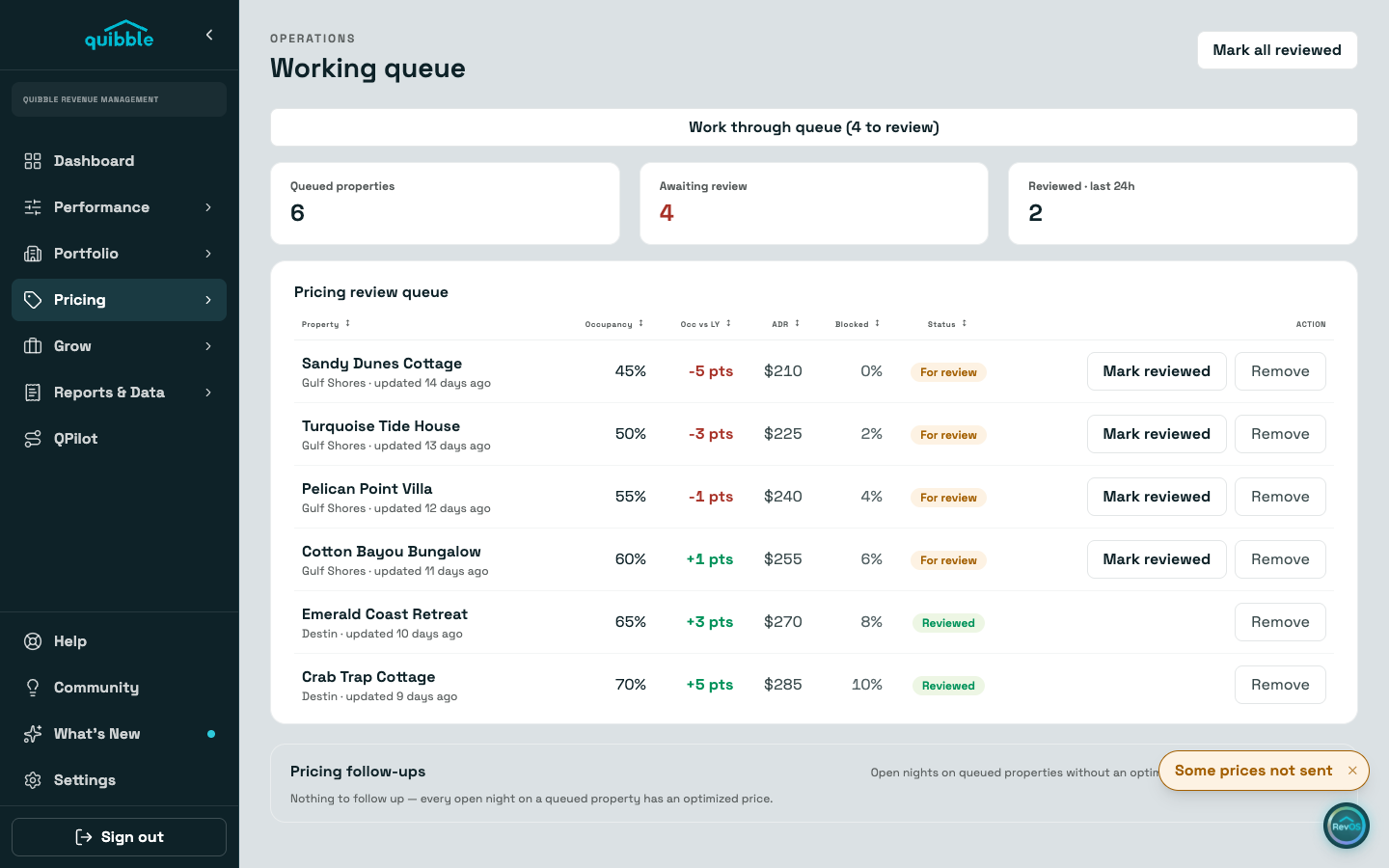
Open Working Queue under Pricing. Each row is a listing flagged for a pricing review, with its occupancy, the change against last year, ADR, and how much of its calendar is blocked.
2
Review the listing (its Pricing and Overview tabs are the usual stops), then use Mark reviewed on the row. Row actions ask for a confirming second click before they fire.
3
Remove takes a listing out of the queue entirely. Mark all reviewed clears every waiting row at once.
4
The Pricing follow-ups card below lists queued listings with open nights that have no optimized price yet, busiest first.
Rows arrive from the nightly analysis, and you can file one yourself with Add to Queue in a listing’s row menu on Properties. A clear queue means nothing is waiting on you.
Didn’t find what you needed? Contact us.